
 日本語
 Español
 한국어
 简体中文
 Português
 Français
 Deutsch
 Italiano
 ไทย
 العربية
 Polski
 Bahasa Indonesia
 Türkçe
 हिन्दी
 বাংলা
 Русский
 Tiếng Việt
 Nederlands
 Svenska
 Dansk
 Norsk
 Čeština
 עברית
 Filipino
 Bahasa Melayu
How to scan cards with the Ximilar API
The Ximilar API is Cardloader’s most accurate engine: it finds each card in the picture, names it, gives the set and number, says how sure it is, and can add market prices at no extra cost.
What you need
- Cardloader installed (Installation).
- A Ximilar API token in Settings (How to connect the Ximilar API). Each identified card is one API call.
- A folder with pictures of your cards: scans or phone photos, JPEG, PNG or WebP.
Start a new session from your folder
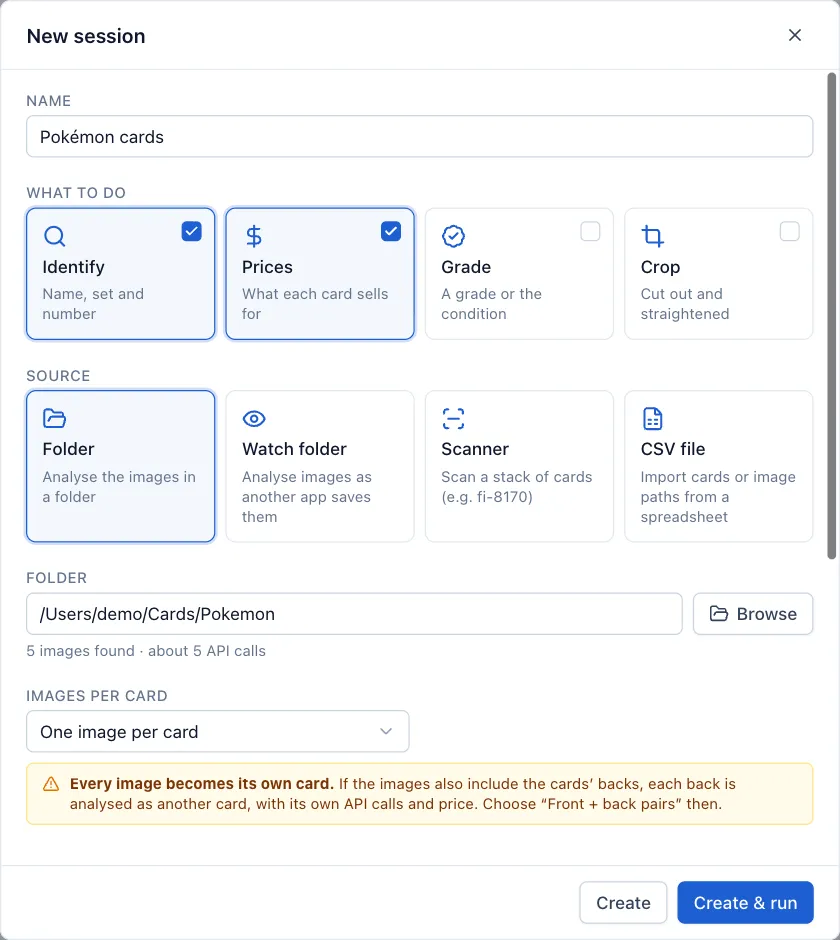
Click New session (or press ⌘/Ctrl + N) and give it a name. Under What to do, keep Identify, and tick Prices if you want what each card sells for.
Under Source, choose Folder and pick your folder with Browse. Cardloader counts the pictures and estimates the API calls.
If the folder also holds the backs of the cards, set Images per card to Front + back pairs; otherwise every back becomes a card of its own (front and back).
Choose the Ximilar API and the kind of cards
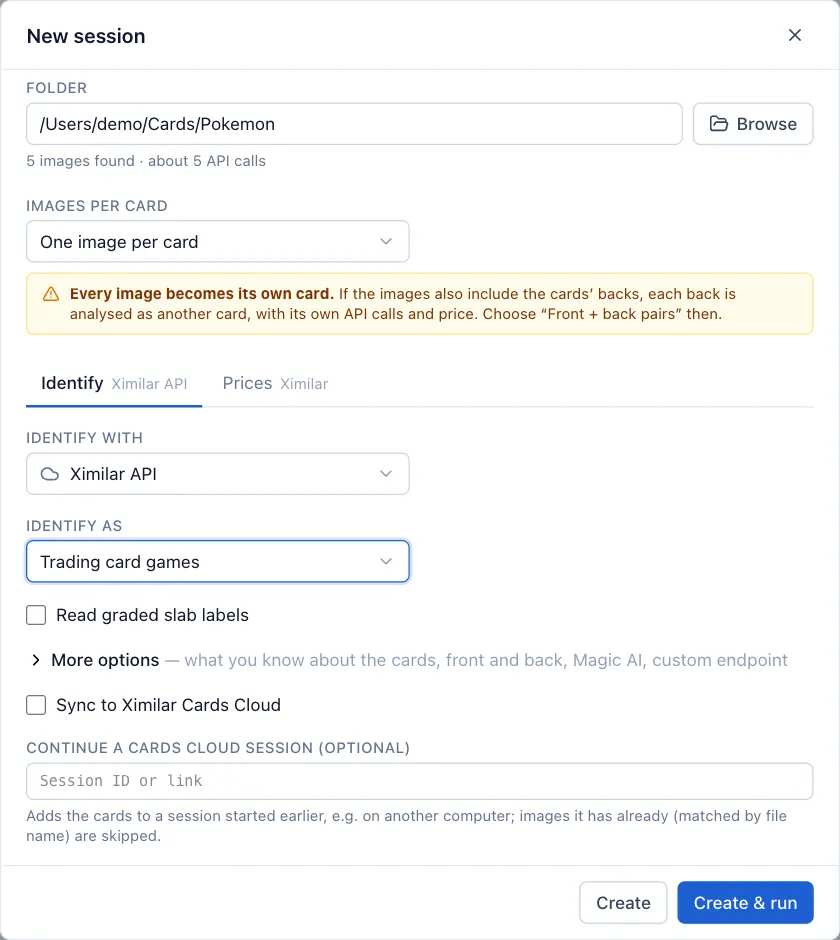
In the Identify tab, set Identify with to Ximilar API. Under Identify as, pick what the cards are: Trading card games, Sports cards, Comics or Graded slabs. Auto-detect works out each card’s kind by itself, which is handy for a mixed box.
Choose where prices come from
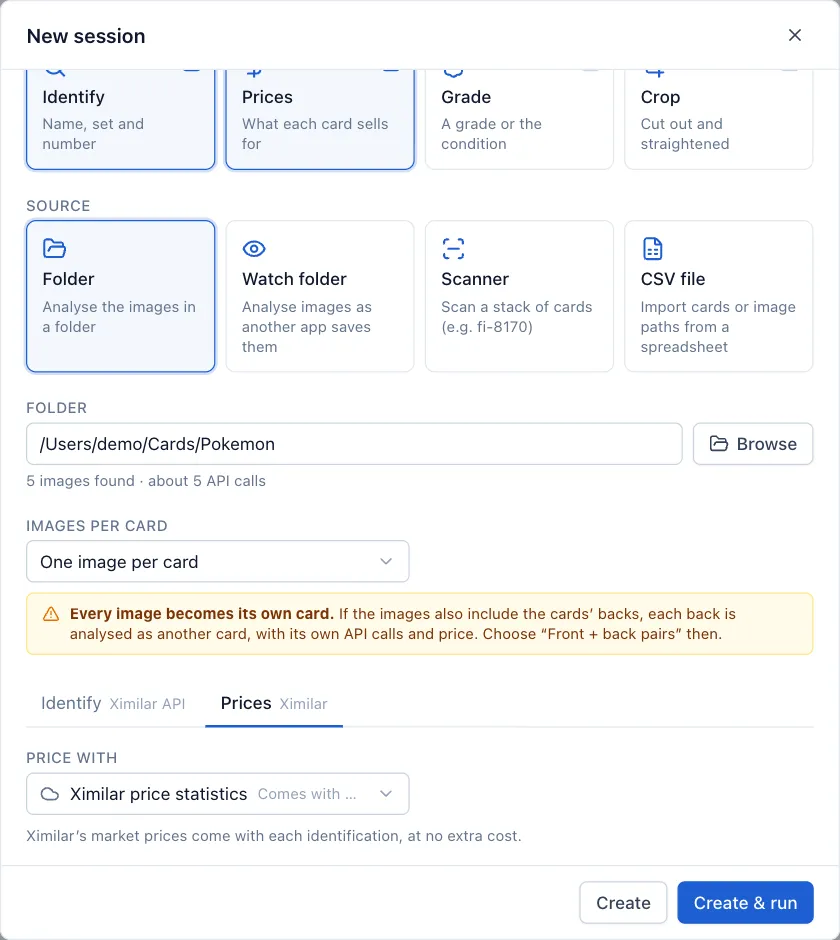
If you ticked Prices, its tab shows Price with. Ximilar price statistics come with each identification, at no extra cost. You can also take prices from eBay’s active listings instead (eBay prices).
Create and run the session
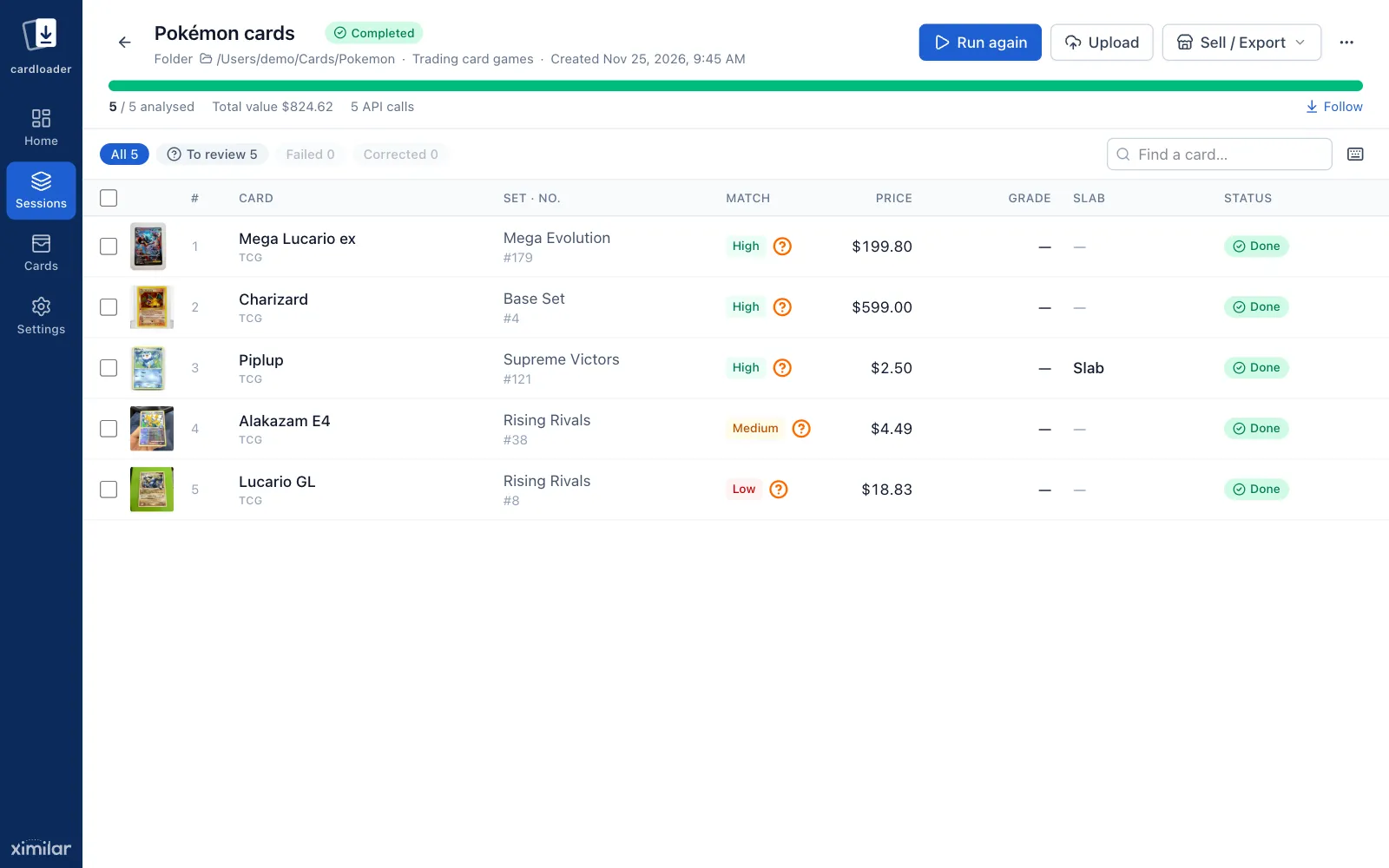
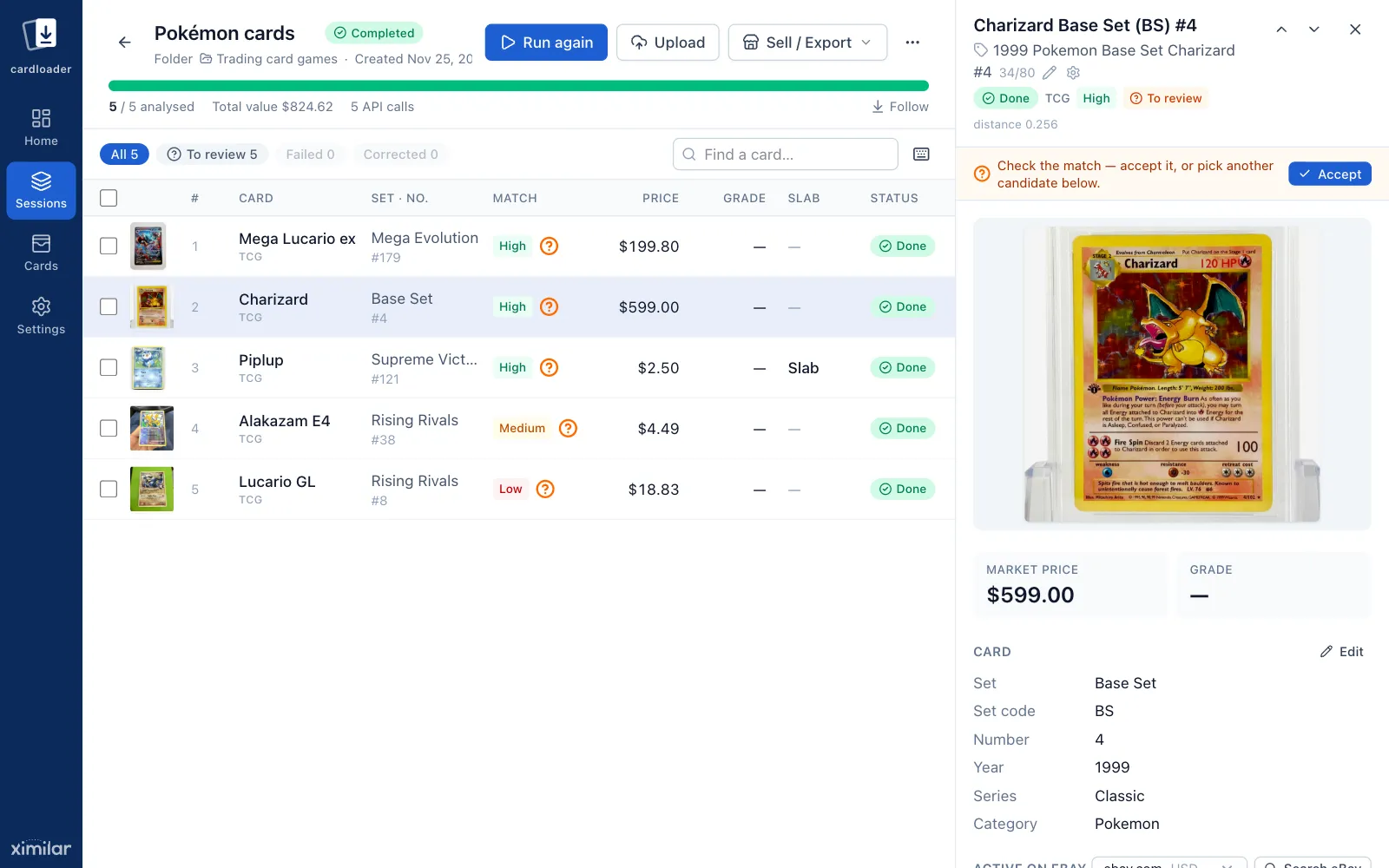
Click Create & run. The cards appear one by one with their name, set and number, the match’s confidence (High, Medium or Low), the price and the status. The bar at the top shows how many are analysed, the total value and the API calls used.
Open a card
Click a row to open the card on the right: the picture, the market price, the set, set code, number and year, and links to the card on eBay and TCGplayer. Under the links, Other candidates lists the next-best matches.
Every card waits for your review until you Accept it or pick another candidate: see How to review identified cards.
Next you can export the cards (CSV), list them on eBay, or add grading and crops to the same cards later without identifying them again.
Related tutorials
How to review identified cards
Check every match Cardloader found: accept it, pick another candidate or fix the card, with keyboard shortcuts that make a whole box quick to review.
How to scan cards with a local AI model
Identify trading and sports cards on your own computer with a local vision model: free, offline, no API calls. Names, numbers and years, step by step.
Faster and more accurate identification
Tell the Ximilar API what you already know about a batch (the kind of card, the game, front side, upright, cropped) and it skips those guesses.
Start scanning your cards for free
Download Cardloader for Windows, macOS or Linux, point it at a folder or your scanner, and identify your first batch in minutes. No subscription and no account needed.