
 日本語
 Español
 한국어
 简体中文
 Português
 Français
 Deutsch
 Italiano
 ไทย
 العربية
 Polski
 Bahasa Indonesia
 Türkçe
 हिन्दी
 বাংলা
 Русский
 Tiếng Việt
 Nederlands
 Svenska
 Dansk
 Norsk
 Čeština
 עברית
 Filipino
 Bahasa Melayu
Faster and more accurate identification
When every card of a batch has something in common (all Pokémon, all fronts, all upright), say so. Ximilar then skips working it out, which is faster and keeps matches inside the right game.
What you need
- A Ximilar API session (scanning with the Ximilar API).
Set the kind of cards
In the Identify tab of New session, set Identify as to the kind of every card: Trading card games, Sports cards, Comics or Graded slabs, rather than Auto-detect.
Tick what is true of every picture
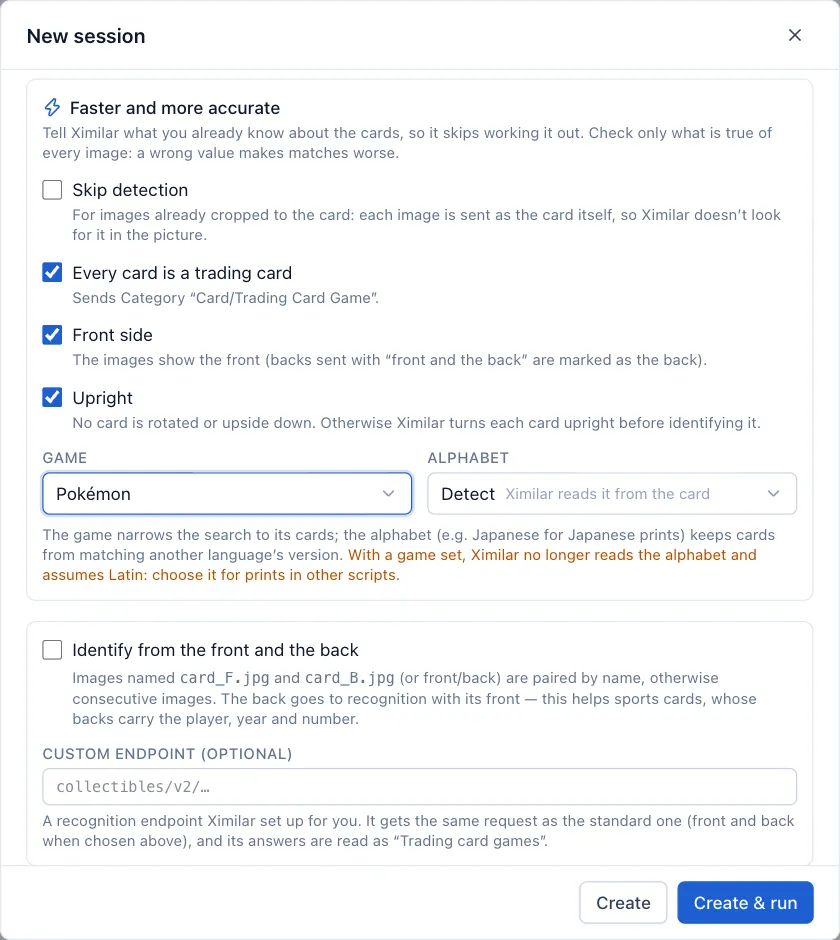
Open More options. Under Faster and more accurate, tick only what is true of every picture in the folder: a wrong value makes matches worse.
- Skip detection: the pictures are already cropped to the card, so Ximilar doesn’t look for it.
- Every card is a trading card (or sports card, comic, slab): Ximilar skips telling what the object is.
- Front side: the pictures show fronts.
- Upright: no card is turned. Leave it off if some may be upside down; Ximilar then turns them itself.
- Game (or Sport): matches come only from that game. With a game set, also set the Alphabet for prints that aren’t in Latin letters, such as Japanese cards.
Run it as usual
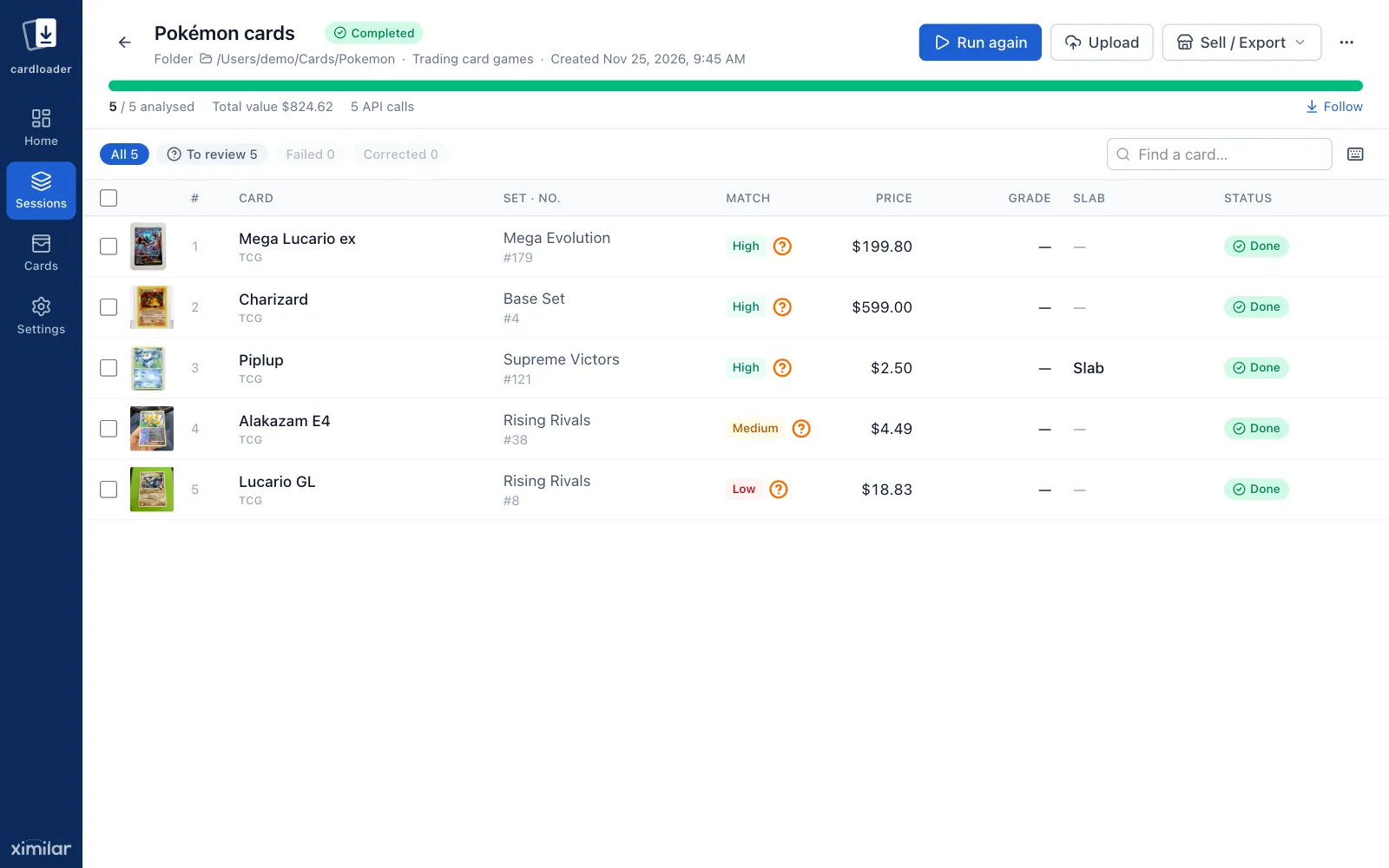
Click Create & run. The cards come in the same way; the session in the picture below was run with the card type and the game set.
If you collect one game, set it as the default in Settings › New sessions or in the setup questions, and every new session starts with it (defaults).
Related tutorials
How to scan cards with the Ximilar API
Identify a folder of trading card pictures with the Ximilar API in Cardloader: name, set, number, a confidence for each match and market prices.
Using both sides of the card for sports card scanning
Pair each sports card’s front and back pictures and send both to identification, with Magic AI for cards that aren’t in the database. Step by step.
Changing the defaults for new sessions
Set what every new Cardloader session starts with: the identification engine, the kind of cards, grading, the condition scale, the folder and more.
Start scanning your cards for free
Download Cardloader for Windows, macOS or Linux, point it at a folder or your scanner, and identify your first batch in minutes. No subscription and no account needed.