
 日本語
 Español
 한국어
 简体中文
 Português
 Français
 Deutsch
 Italiano
 ไทย
 العربية
 Polski
 Bahasa Indonesia
 Türkçe
 हिन्दी
 বাংলা
 Русский
 Tiếng Việt
 Nederlands
 Svenska
 Dansk
 Norsk
 Čeština
 עברית
 Filipino
 Bahasa Melayu
Using both sides of the card for sports card scanning
Sports cards print the player, year and card number on the back. Cardloader pairs each front with its back, so one card is one row, and can send both sides to the Ximilar API together.
What you need
- A Ximilar API token (How to connect the Ximilar API).
- A folder with a front and a back picture of every card, named so they pair:
1_F.jpgand1_B.jpg, orcard_frontandcard_back. Otherwise the pictures must alternate front, back, front, back.
Pair the pictures
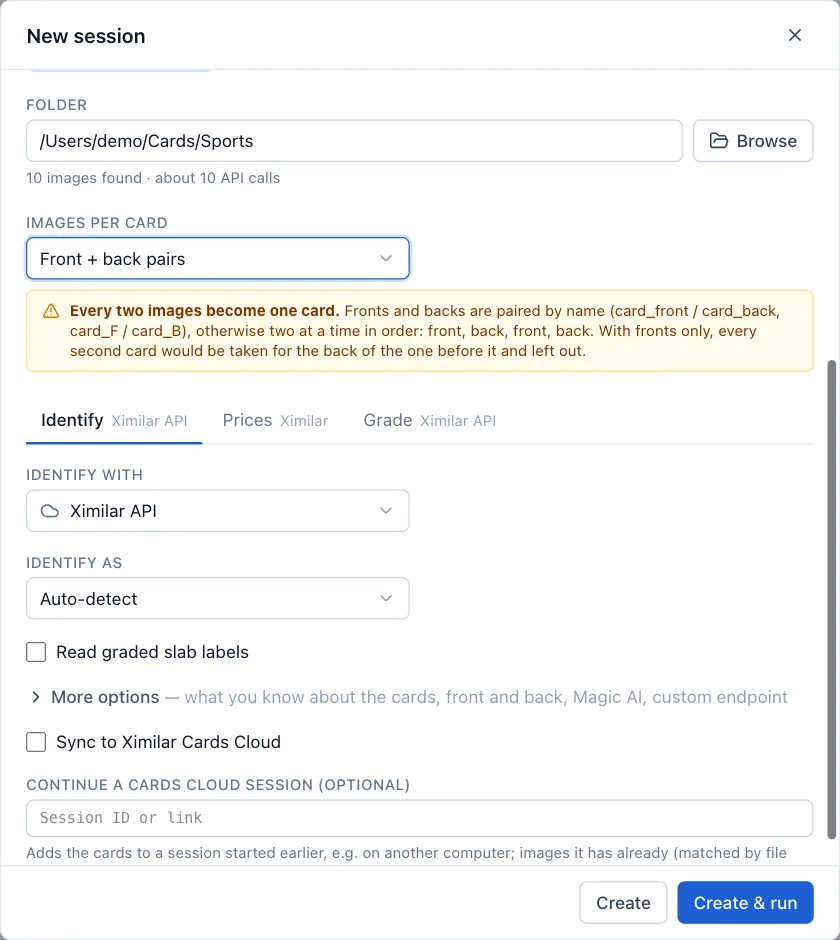
Start a New session, choose Folder and your folder. Set Images per card to Front + back pairs: every two pictures become one card.
Cardloader pairs by name first (_F/_B, _front/_back), otherwise two at a time in order. An odd number of pictures is flagged, as one card would miss its back.
Send the back to identification, with Magic AI
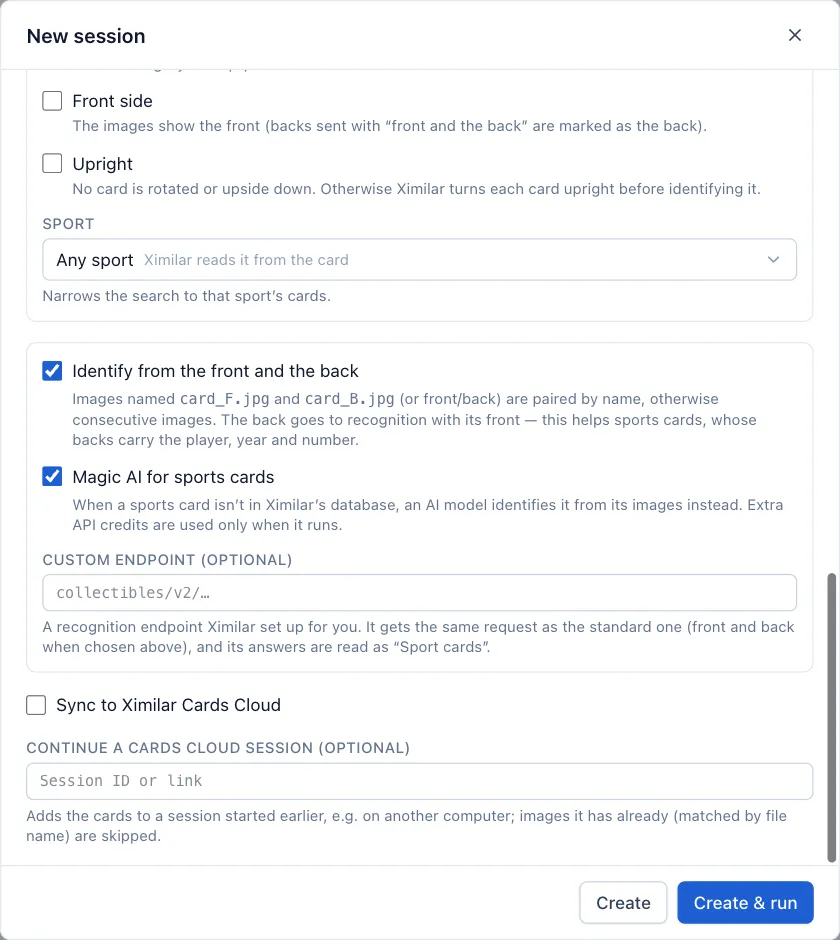
In the Identify tab keep Ximilar API and set Identify as to Sports cards. Open More options and tick Identify from the front and the back: the back goes to recognition together with its front.
Tick Magic AI for sports cards too. When a card isn’t in Ximilar’s database, an AI model identifies it from both pictures instead. It uses extra API credits only when it runs.
Without Magic AI, the backs of one series look so alike that a back can match another player’s card. For sports cards with backs, use both options together.
Run it and check the cards
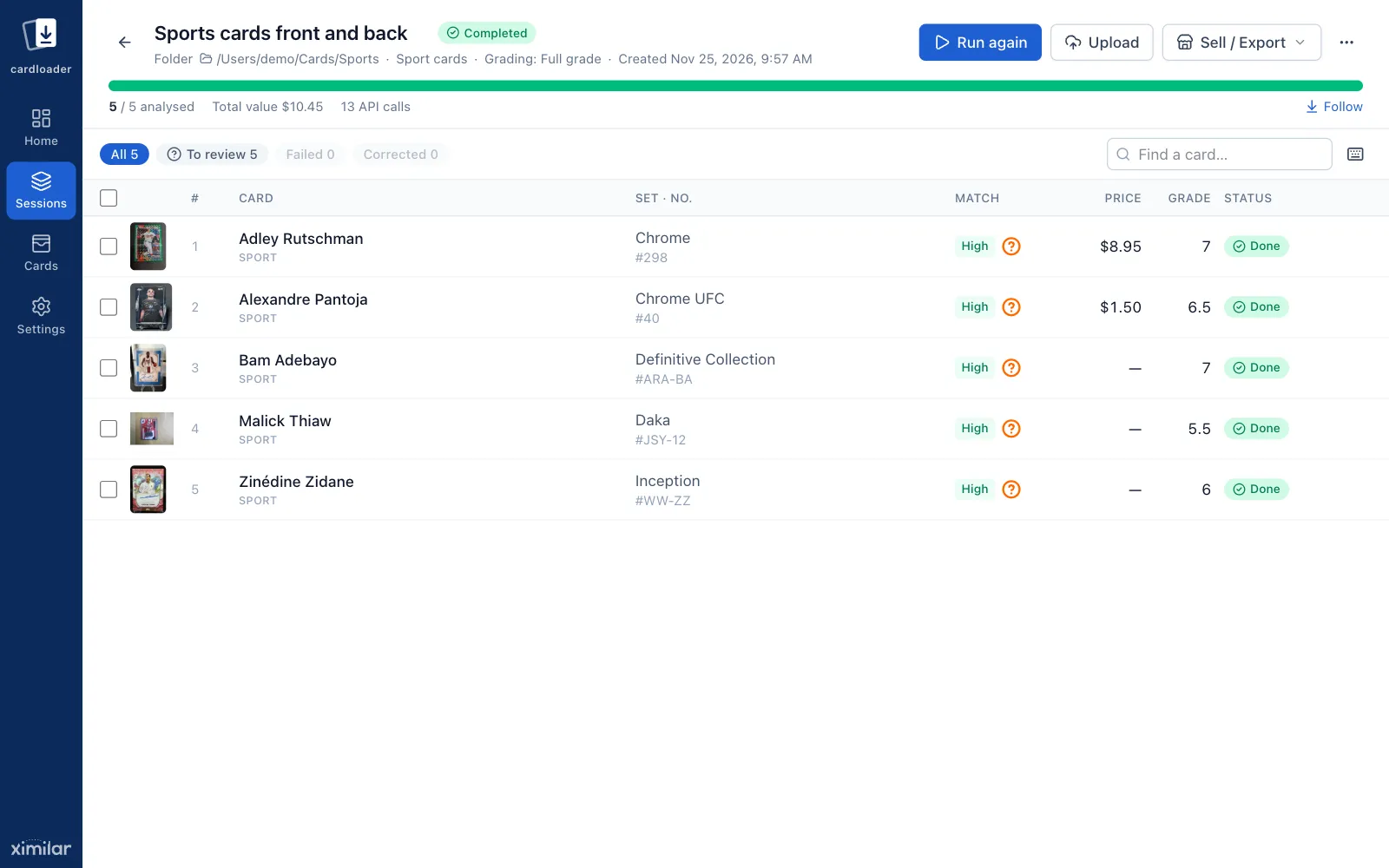
Click Create & run. Each pair becomes one row with the player, set and number, the year, brand and team, and a price when Ximilar has one. An open card says “front + back” next to its distance: both sides were read.
Look at the back
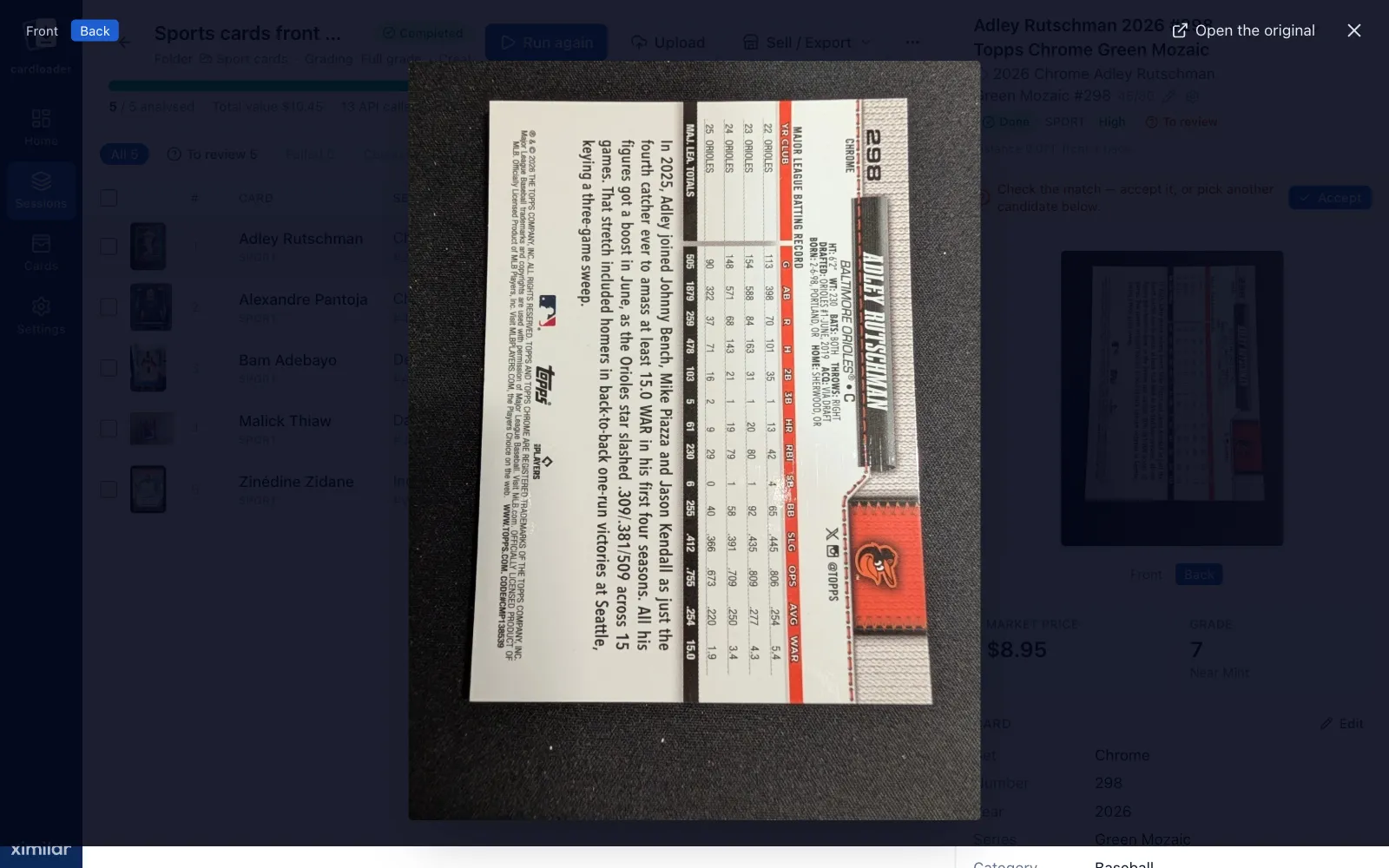
Open a card and switch between Front and Back under its picture, or press Space to enlarge it and ←/→ to turn it over. Then review it as any other card (reviewing).
The local model can read the back too: in a local session of sport cards, Use front and back for identification is on by default (local model).
Related tutorials
How to scan cards with the Ximilar API
Identify a folder of trading card pictures with the Ximilar API in Cardloader: name, set, number, a confidence for each match and market prices.
How to grade cards with the Ximilar API
Grade trading and sports cards in Cardloader with Ximilar’s card grader: corners, edges, surface and centering for each side, with the overlays it drew.
Start scanning your cards for free
Download Cardloader for Windows, macOS or Linux, point it at a folder or your scanner, and identify your first batch in minutes. No subscription and no account needed.