
 日本語
 Español
 한국어
 简体中文
 Português
 Français
 Deutsch
 Italiano
 ไทย
 العربية
 Polski
 Bahasa Indonesia
 Türkçe
 हिन्दी
 বাংলা
 Русский
 Tiếng Việt
 Nederlands
 Svenska
 Dansk
 Norsk
 Čeština
 עברית
 Filipino
 Bahasa Melayu
Finding cards across all your sessions
The Cards page lists every identified card of all your sessions in one place, with their total value. Search it, see which cards you have more than once, and note where each one is kept.
What you need
- Sessions with identified cards.
Search all your cards
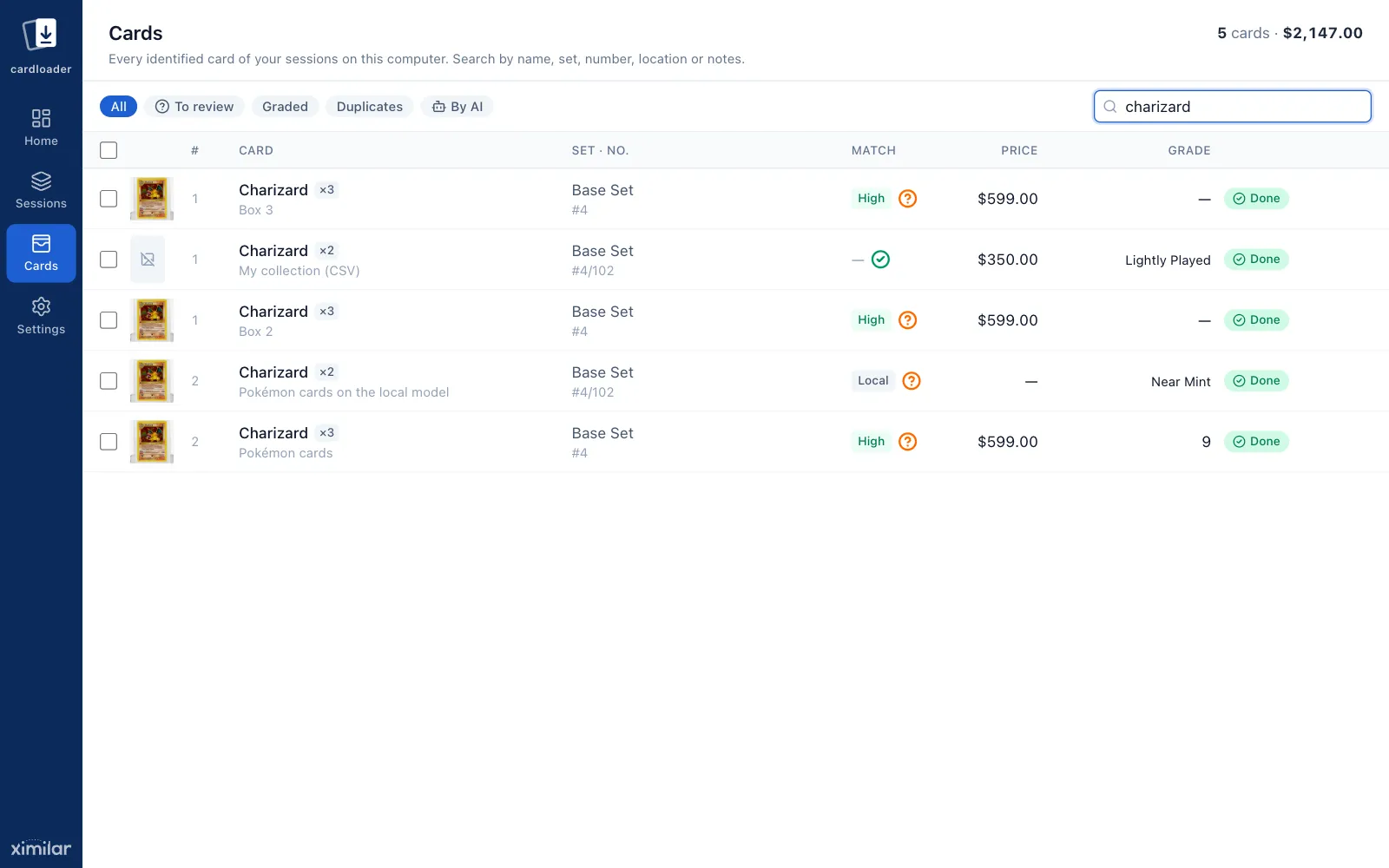
Click Cards in the sidebar (⌘/Ctrl + 3) and type in the search box: a name, a set, a number, a location or a word from the notes. The header shows how many cards match and what they are worth; each row says which session it is in.
Find your duplicates
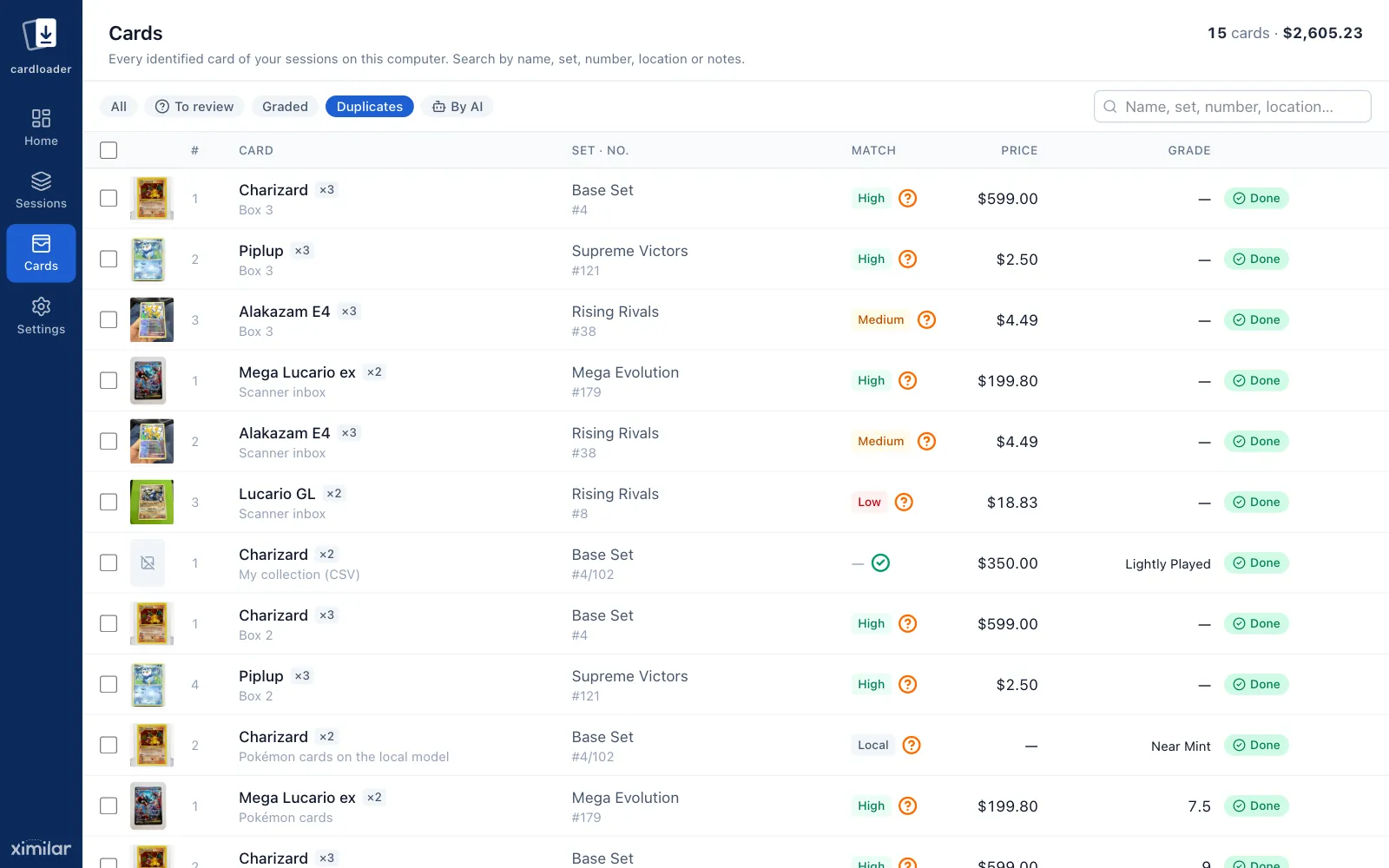
Click Duplicates: only the cards you have more than once are listed. ×3 next to a name means three cards with that name, set and number. Cards whose numbers are written differently (4 and 4/102) are counted apart.
To review, Graded and By AI filter the same way.
Note where cards are kept
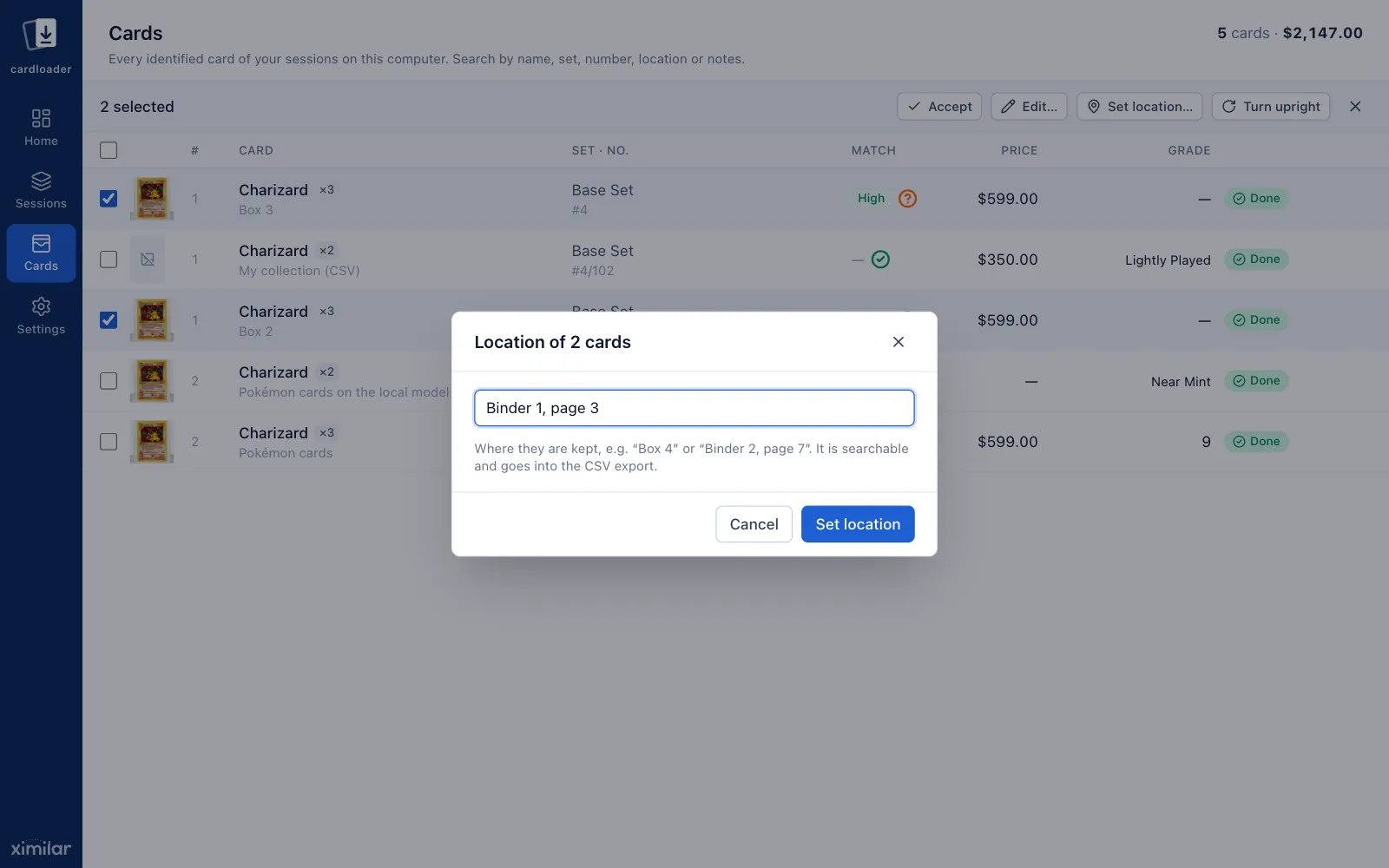
Tick cards and click Set location…: type where they are kept, such as “Binder 1, page 3”, and click Set location. The location is searchable and goes into the CSV export.
Related tutorials
How to edit cards, one or many at once
Fix a card’s name, set, number or price, add team, serial or features, and add the same text to many cards’ titles or fields at once, with a preview.
How to export a custom CSV of your scanned cards
Export the cards of a Cardloader session to a CSV file: pick the columns, put them in your order and rename the headers your spreadsheet or shop expects.
How to review identified cards
Check every match Cardloader found: accept it, pick another candidate or fix the card, with keyboard shortcuts that make a whole box quick to review.
Start scanning your cards for free
Download Cardloader for Windows, macOS or Linux, point it at a folder or your scanner, and identify your first batch in minutes. No subscription and no account needed.