
 日本語
 Español
 한국어
 简体中文
 Português
 Français
 Deutsch
 Italiano
 ไทย
 العربية
 Polski
 Bahasa Indonesia
 Türkçe
 हिन्दी
 বাংলা
 Русский
 Tiếng Việt
 Nederlands
 Svenska
 Dansk
 Norsk
 Čeština
 עברית
 Filipino
 Bahasa Melayu
Getting started with Cardloader
The first time Cardloader opens, a short setup asks how you work and turns the answers into the defaults of every new session. It takes a minute, and everything can be changed later in Settings.
What you need
- Cardloader for Windows, macOS or Linux (Installation).
Choose your language and what to do
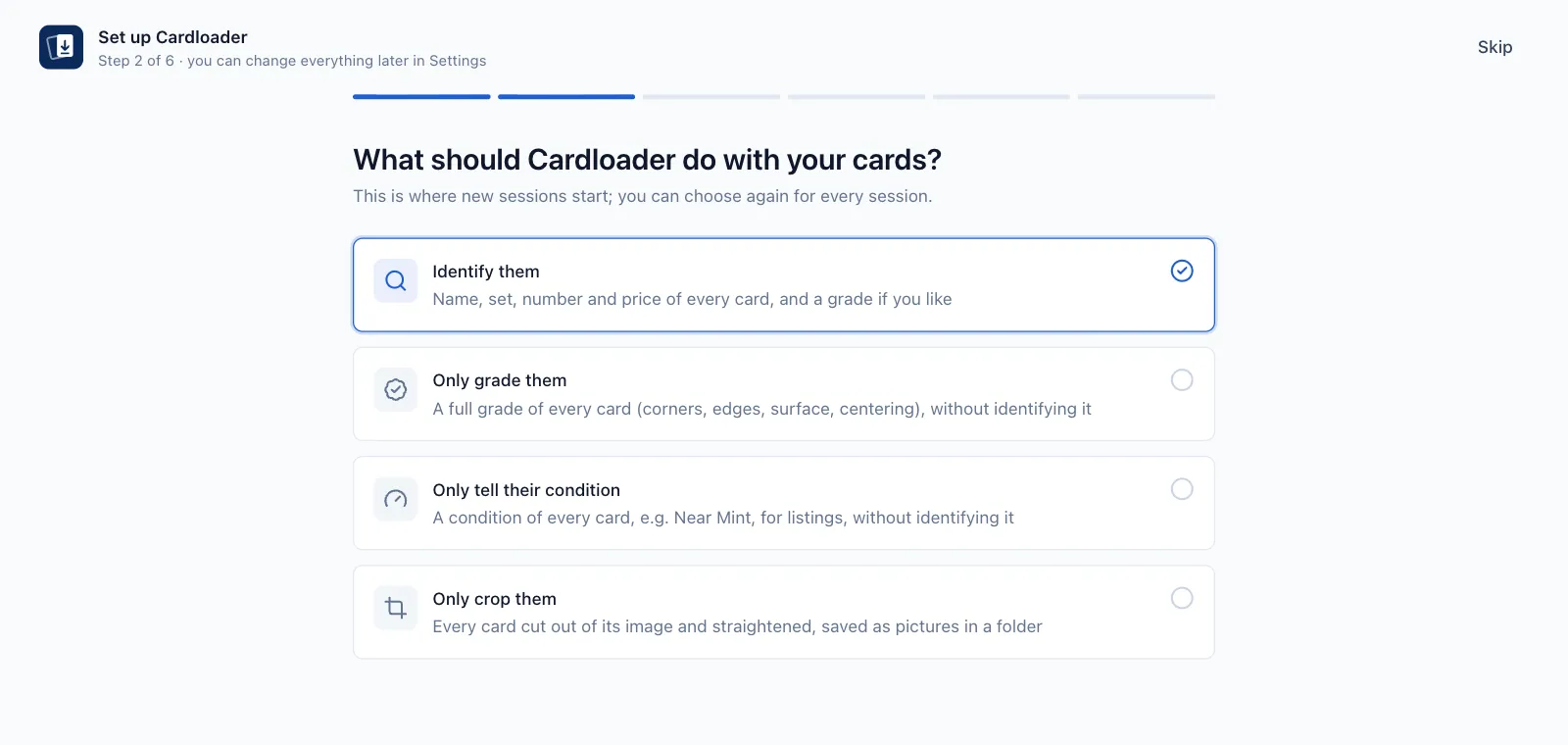
Open Cardloader. Pick the app’s language, then what Cardloader should do with your cards: Identify them (name, set, number, price and a grade if you like), or only grade them, only tell their condition, or only crop them.
Say what you collect
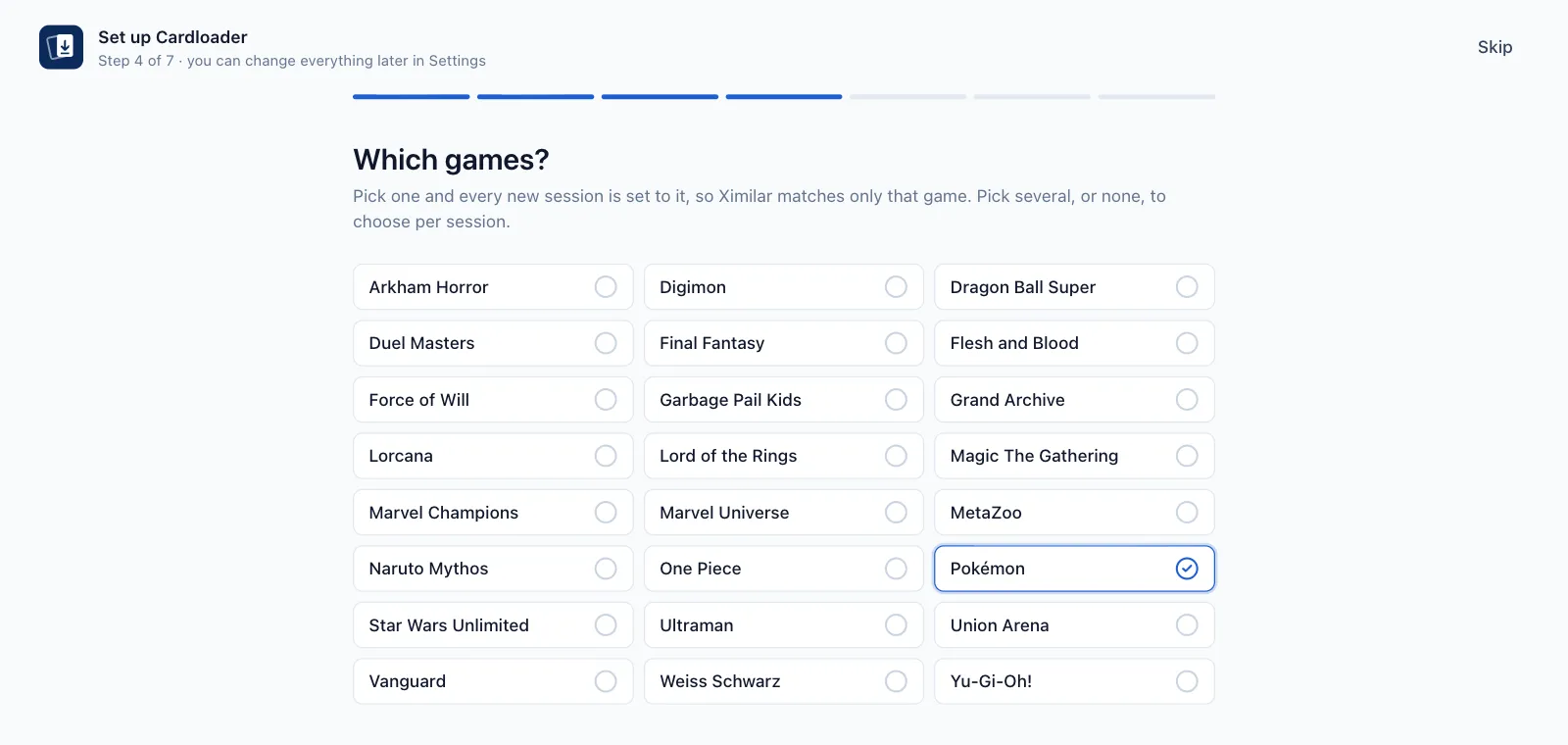
Pick the kinds of cards you scan: Trading card games, Sports cards, Comics. If you collect one game, pick it: every new session is then set to it, so matches come only from that game.
Choose what you want to find out
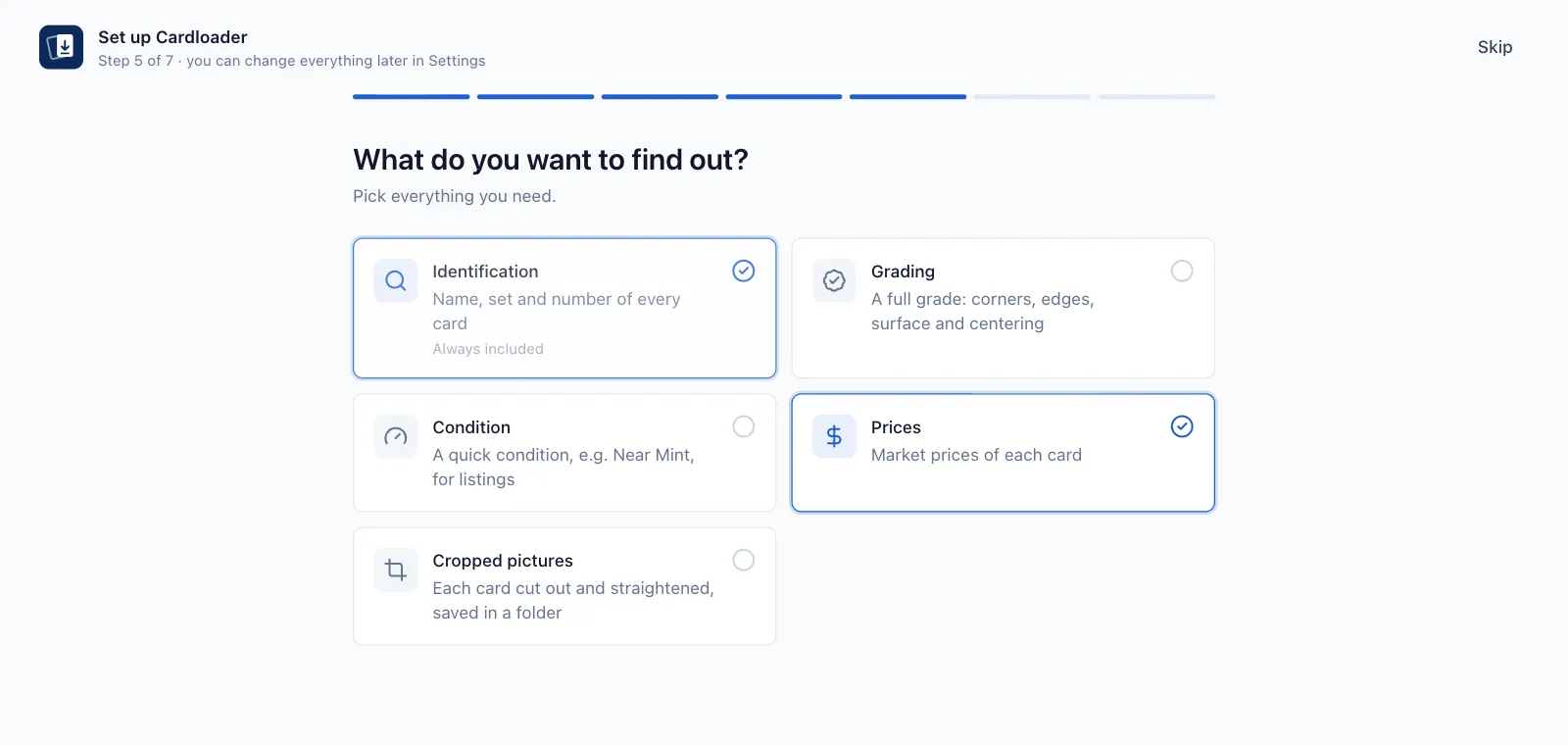
Identification is always included. Add Grading, Condition, Prices or Cropped pictures if you need them.
Say how cards come in
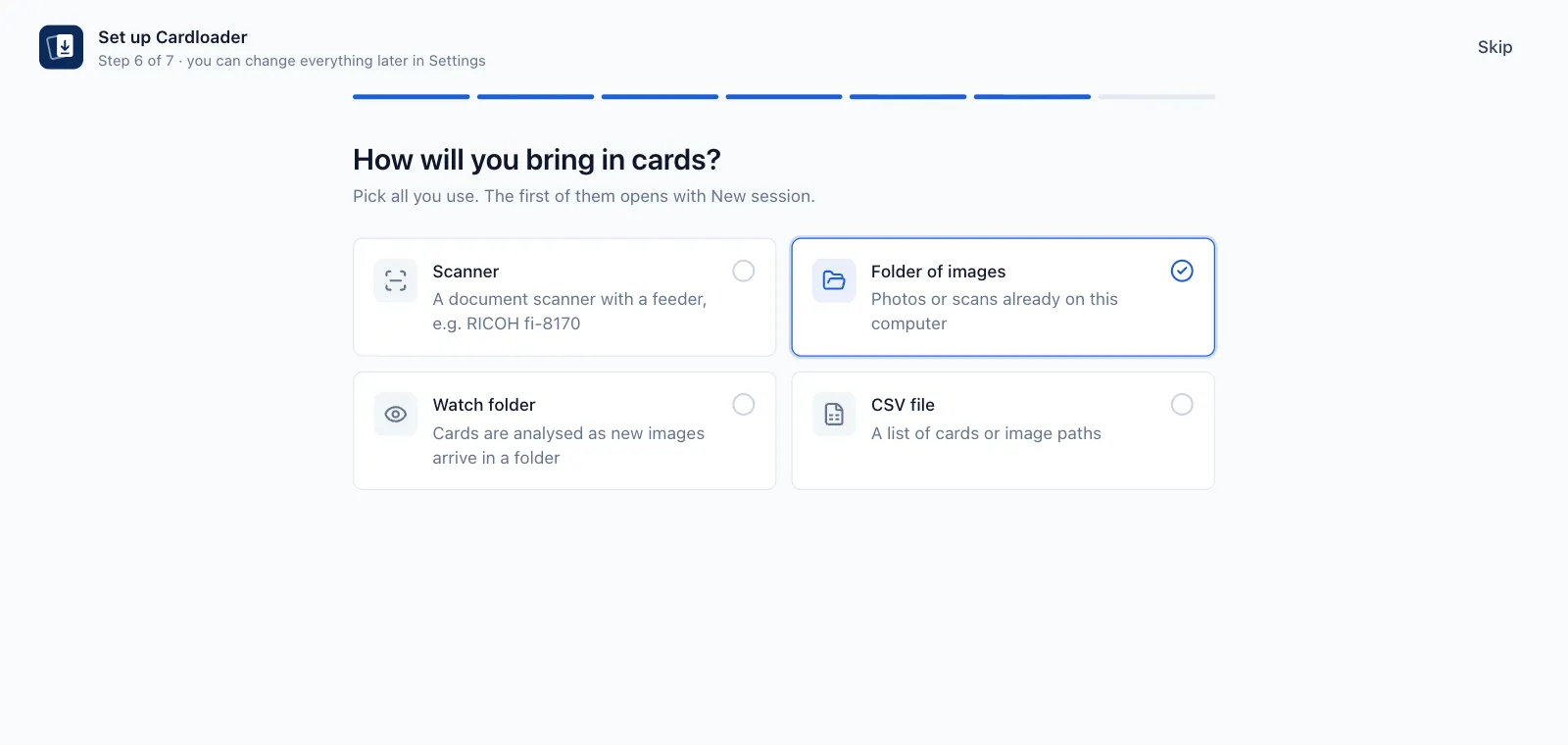
Pick every way you bring in cards: a Scanner, a Folder of images, a Watch folder that another app saves into, or a CSV file. The first one is what New session opens with.
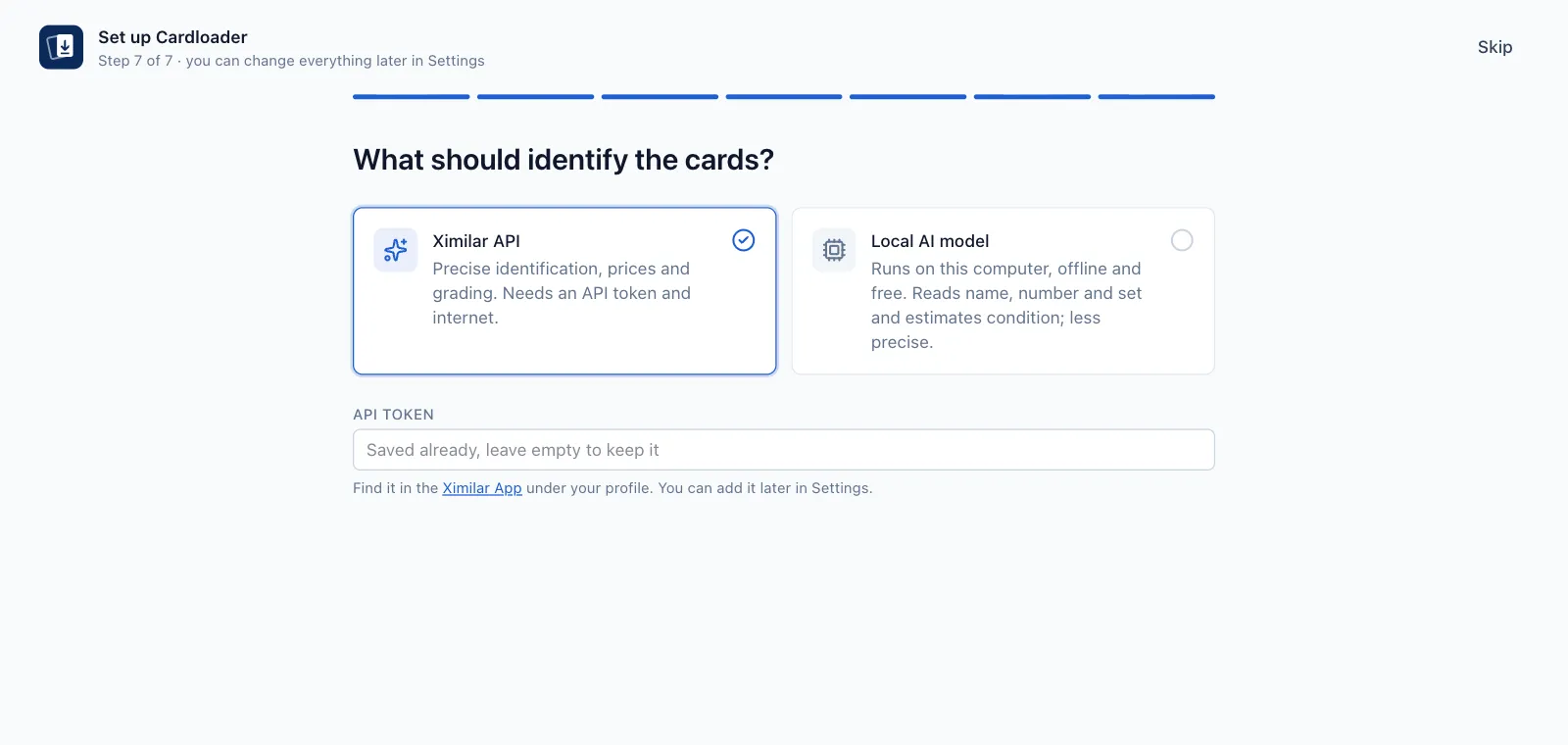
Choose what identifies the cards
Ximilar API is the most precise and brings prices and grading; paste your API token here (where to find it). Local AI model runs on your computer, offline and free, and asks which model to use. Click Finish.
Start your first session
Home shows your cards and their value, what needs your attention, the last sessions and the defaults you just chose. Click New session to identify your first cards.
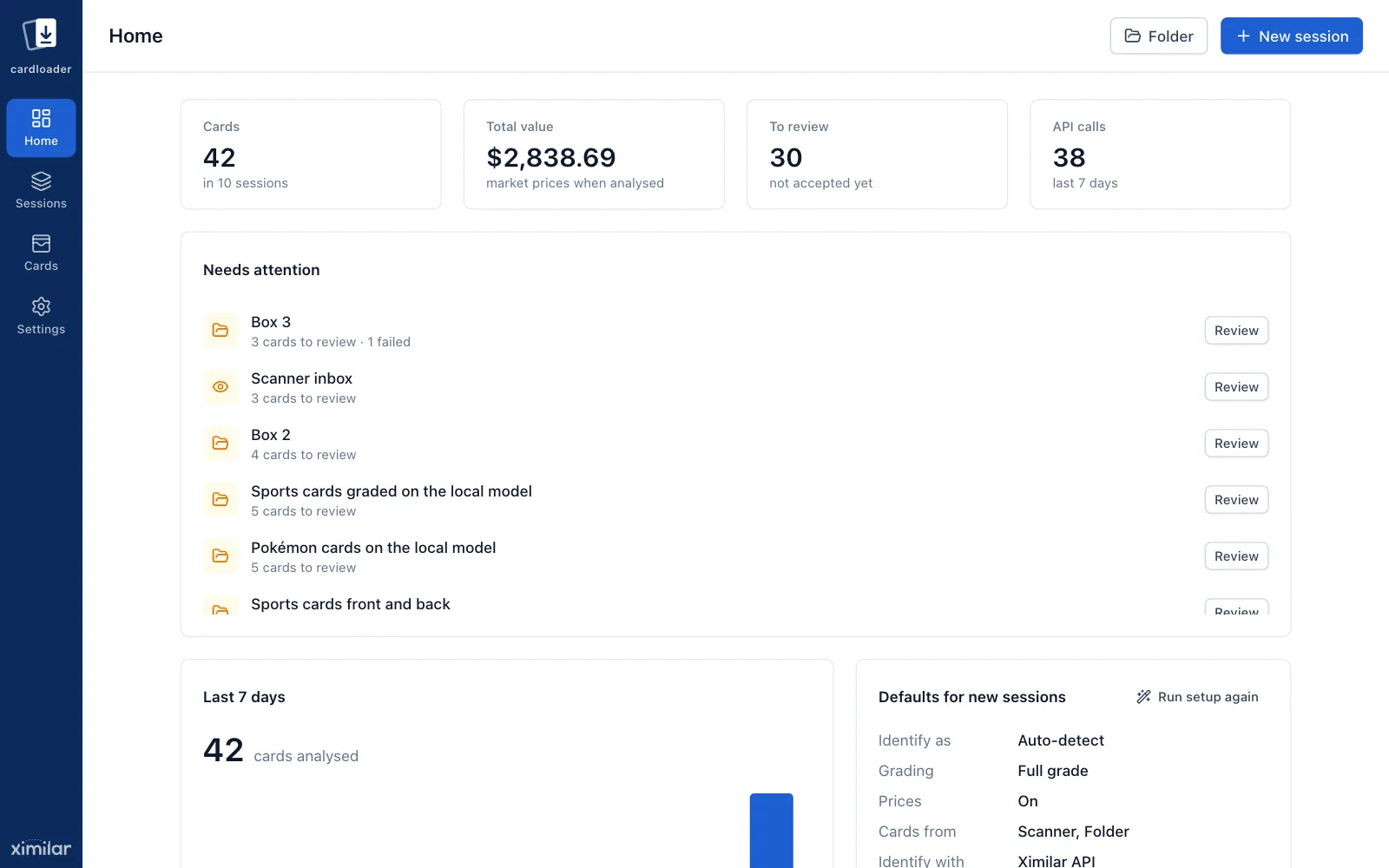
Next: scan cards with the Ximilar API or with a local AI model. Run setup again on Home or in Settings asks the questions again.
Related tutorials
How to connect the Ximilar API
Add your Ximilar API token to Cardloader for exact card matches, prices, grading and crops: where to find the token and how to test the connection.
How to scan cards with the Ximilar API
Identify a folder of trading card pictures with the Ximilar API in Cardloader: name, set, number, a confidence for each match and market prices.
Changing the defaults for new sessions
Set what every new Cardloader session starts with: the identification engine, the kind of cards, grading, the condition scale, the folder and more.
Start scanning your cards for free
Download Cardloader for Windows, macOS or Linux, point it at a folder or your scanner, and identify your first batch in minutes. No subscription and no account needed.