
 日本語
 Español
 한국어
 简体中文
 Português
 Français
 Deutsch
 Italiano
 ไทย
 العربية
 Polski
 Bahasa Indonesia
 Türkçe
 हिन्दी
 বাংলা
 Русский
 Tiếng Việt
 Nederlands
 Svenska
 Dansk
 Norsk
 Čeština
 עברית
 Filipino
 Bahasa Melayu
How to import cards from a CSV file
Already keep your cards in a spreadsheet? Import it as a CSV file: rows that name a card become cards right away, with no API call, and rows with only a picture are analysed like any scan.
What you need
- A CSV file with English column headers, for example
name,set,number,year,game,price,condition, andfrontorimagefor a picture.
Open Import CSV
On the Sessions page click Import CSV (or choose CSV file under Source in New session) and pick your file.
Before anything is imported, the dialog shows what it found: how many rows, how many identified cards and images to analyse, and which column became which field (game → category).
- Headers are read loosely: any case, spaces or underscores, and common names such as
card name,expansionormarket price. - Commas, semicolons and tabs are all understood; with semicolons a decimal comma (
12,50) is too. - Image paths can be relative to the CSV file’s folder.
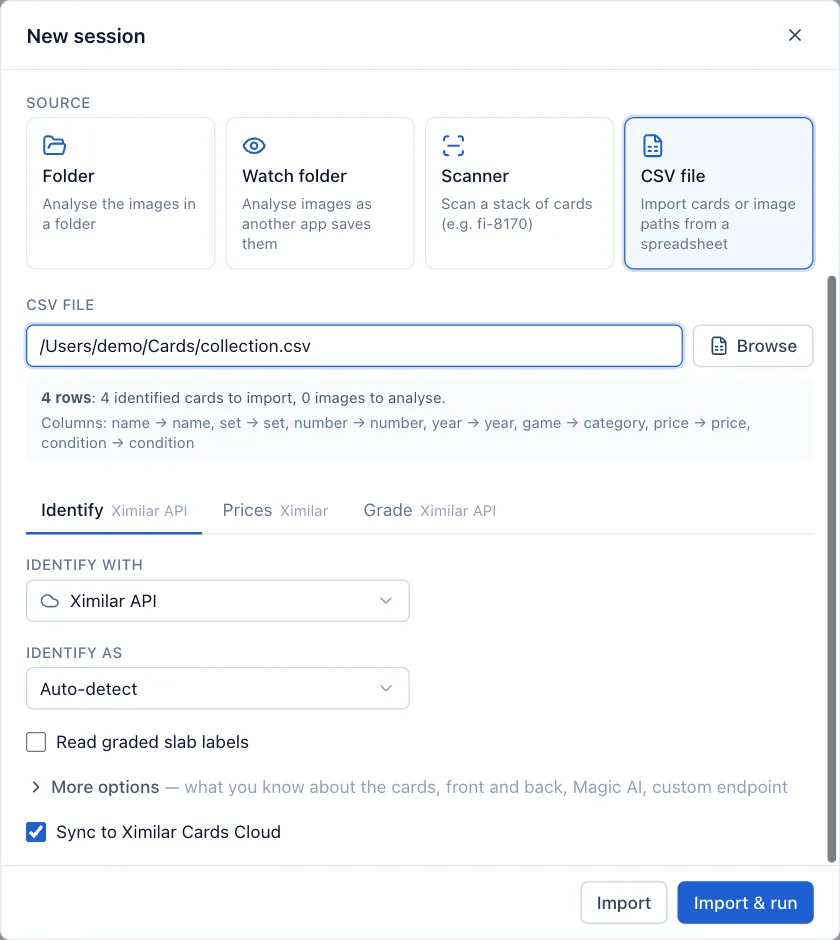
Import it
Click Import, or Import & run if rows have pictures to analyse. Rows with a card name become cards at once with their price and condition; they count as reviewed already.
To have the pictures of named rows identified by the Ximilar API instead, tick Analyse the images of the identified rows again.
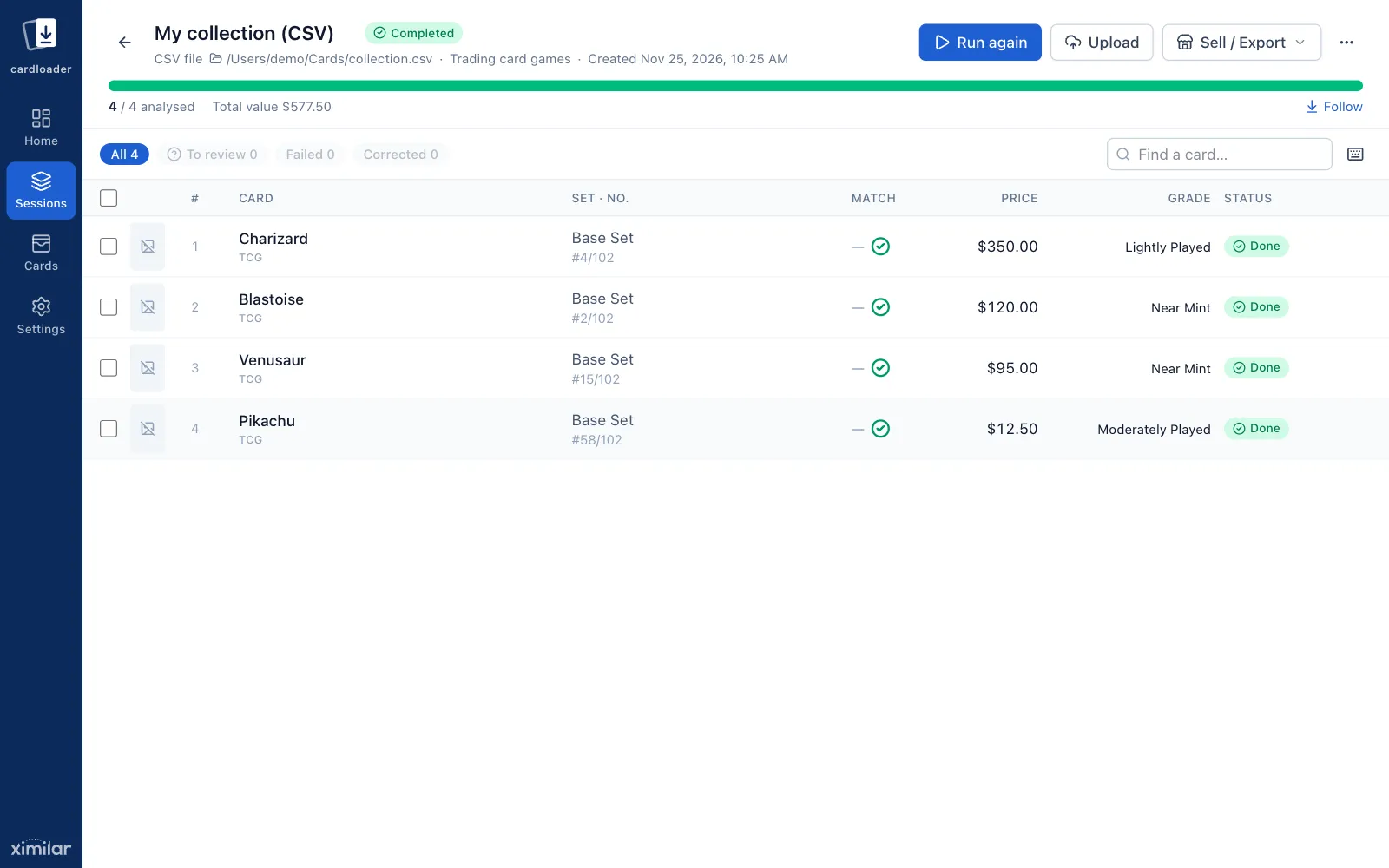
Add rows later
Add rows with pictures to the same CSV file and click Run again: only the new rows are analysed.
The imported cards work like any others: export them (CSV), price them on eBay, or list them.
Related tutorials
How to export a custom CSV of your scanned cards
Export the cards of a Cardloader session to a CSV file: pick the columns, put them in your order and rename the headers your spreadsheet or shop expects.
Finding cards across all your sessions
Search every identified card of every session by name, set, number, location or notes, spot duplicates, and record where each card is kept.
Adding prices, grading or crops to a finished session
Identified a box and now want prices, grades or crops? Add them to the session’s cards later, without identifying them again and without losing your review.
Start scanning your cards for free
Download Cardloader for Windows, macOS or Linux, point it at a folder or your scanner, and identify your first batch in minutes. No subscription and no account needed.