
 日本語
 Español
 한국어
 简体中文
 Português
 Français
 Deutsch
 Italiano
 ไทย
 العربية
 Polski
 Bahasa Indonesia
 Türkçe
 हिन्दी
 বাংলা
 Русский
 Tiếng Việt
 Nederlands
 Svenska
 Dansk
 Norsk
 Čeština
 עברית
 Filipino
 Bahasa Melayu
How to crop cards with a local model or an AI agent
Cardloader can cut cards out by itself: someone only has to find each card’s four corners. That can be the local model on your computer or an AI agent such as Claude, and it costs no API call.
What you need
- A downloaded local model (How to download a local AI model), or an AI agent connected over MCP (connecting an agent).
Choose who finds the corners
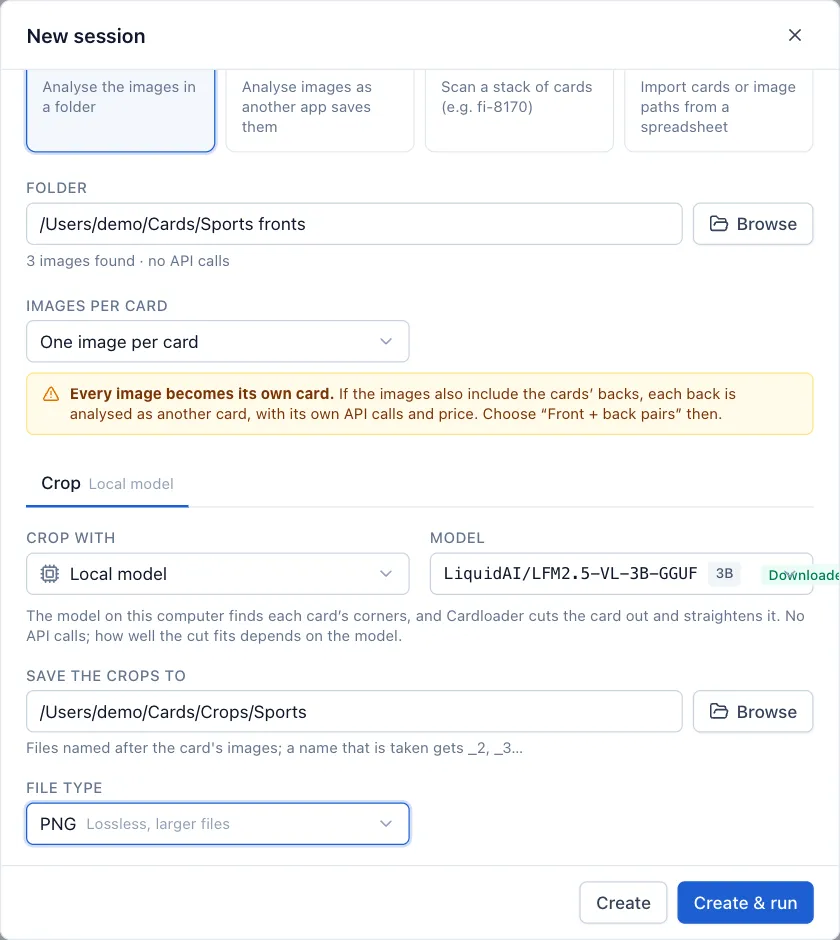
In New session, tick Crop and choose your folder. In the Crop tab set Crop with to Local model (and pick the Model) or AI agent (MCP). Choose the folder for the crops and the File type; PNG and WebP keep every detail.
Run it
Click Create & run. The local model looks at each picture, gives the four corners, and Cardloader cuts the card out of the full-size picture and straightens it.
With AI agent (MCP), the session shows a banner that cards wait for their corners: click Copy the prompt and paste it into your agent. The agent can preview a cut before it answers, and the cut comes out upright however the card lies.
Check the first crops
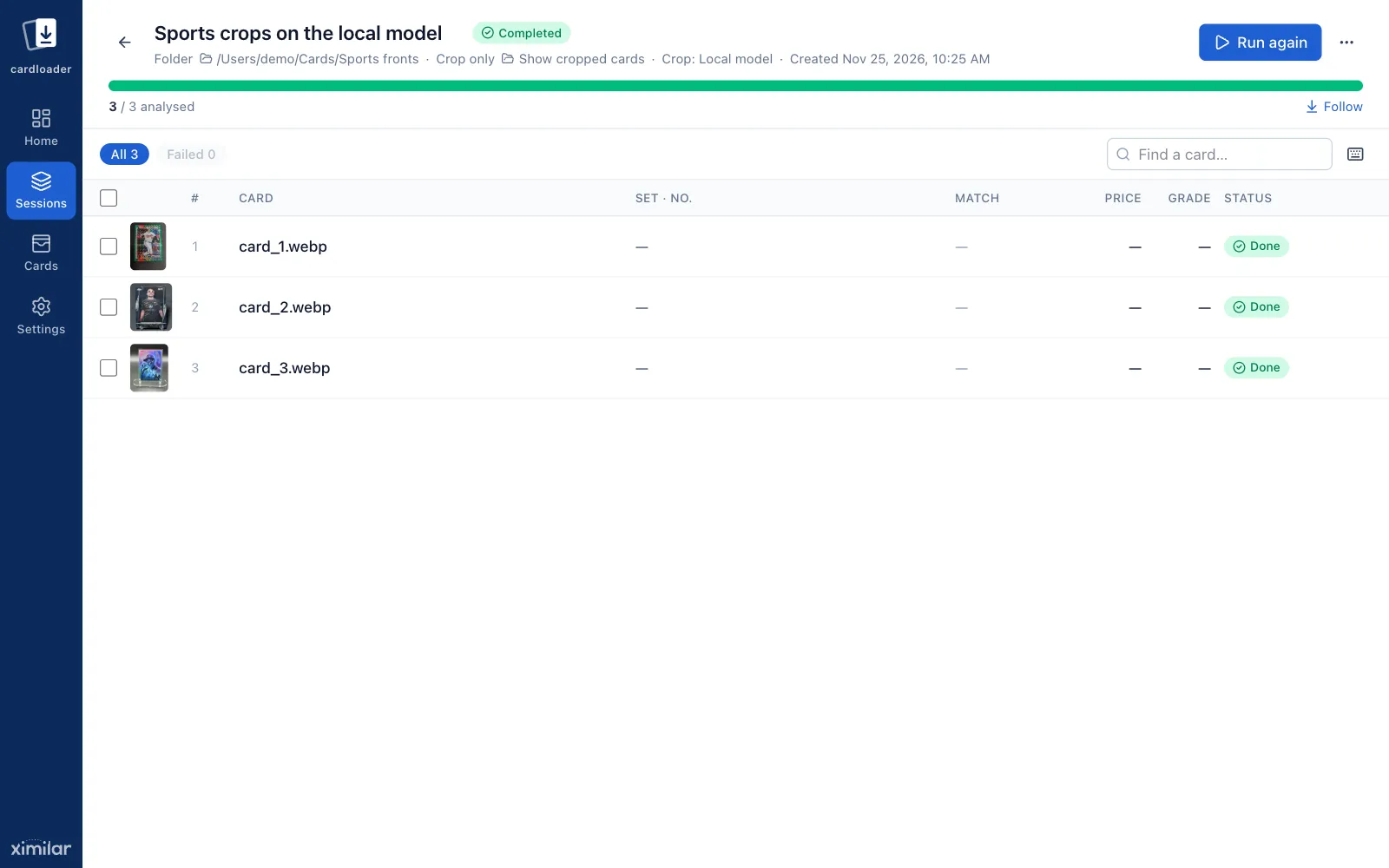
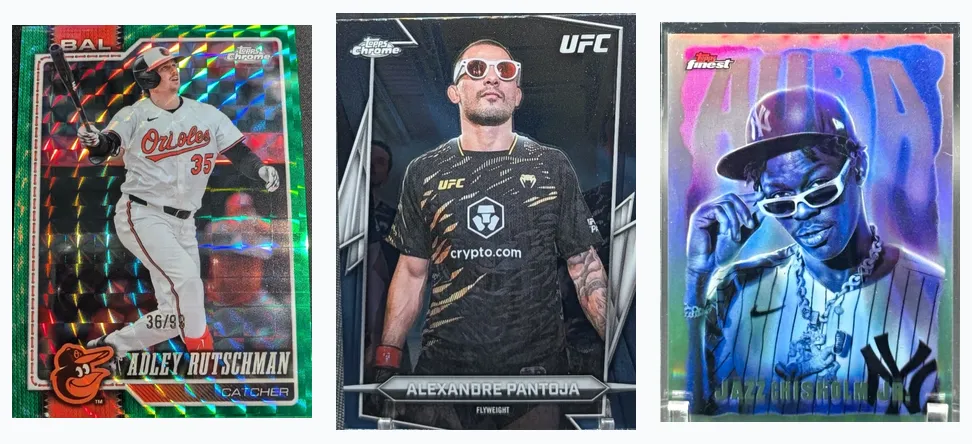
Nothing measures how well a model or an agent finds corners, so open the first crops before you crop a whole box. In this session the local model cut all three cards cleanly, with a slightly wider margin on one.
The local model cuts the card as it lies in the picture: a card scanned upside down stays upside down.
Related tutorials
How to crop card pictures with the Ximilar API
Cut each card out of its scan or photo, straightened, and save the crops as JPEG, PNG or WebP to a folder of your choice, with or without identifying.
How to identify cards with an AI agent such as Claude
Let Claude or another AI agent identify your cards: Cardloader hands it each card’s pictures over MCP, and the agent answers with the name, set and number.
How to download a local AI model
Download a vision model that identifies cards on your computer, free and offline: choosing a model, accepting its license and running it on your GPU.
Start scanning your cards for free
Download Cardloader for Windows, macOS or Linux, point it at a folder or your scanner, and identify your first batch in minutes. No subscription and no account needed.