
 日本語
 Español
 한국어
 简体中文
 Português
 Français
 Deutsch
 Italiano
 ไทย
 العربية
 Polski
 Bahasa Indonesia
 Türkçe
 हिन्दी
 বাংলা
 Русский
 Tiếng Việt
 Nederlands
 Svenska
 Dansk
 Norsk
 Čeština
 עברית
 Filipino
 Bahasa Melayu
Card prices from Ximilar’s price statistics
When the Ximilar API identifies a card, it can also tell what the card sells for. The price comes with the identification, so it costs no extra API call.
What you need
- A Ximilar API token (How to connect the Ximilar API).
Choose Ximilar price statistics
In New session, tick Prices next to Identify, keep Identify with: Ximilar API, and in the Prices tab set Price with to Ximilar price statistics.
Ximilar’s prices exist only with Ximilar’s identification. For cards identified by the local model or an AI agent, take prices from eBay instead (eBay prices).
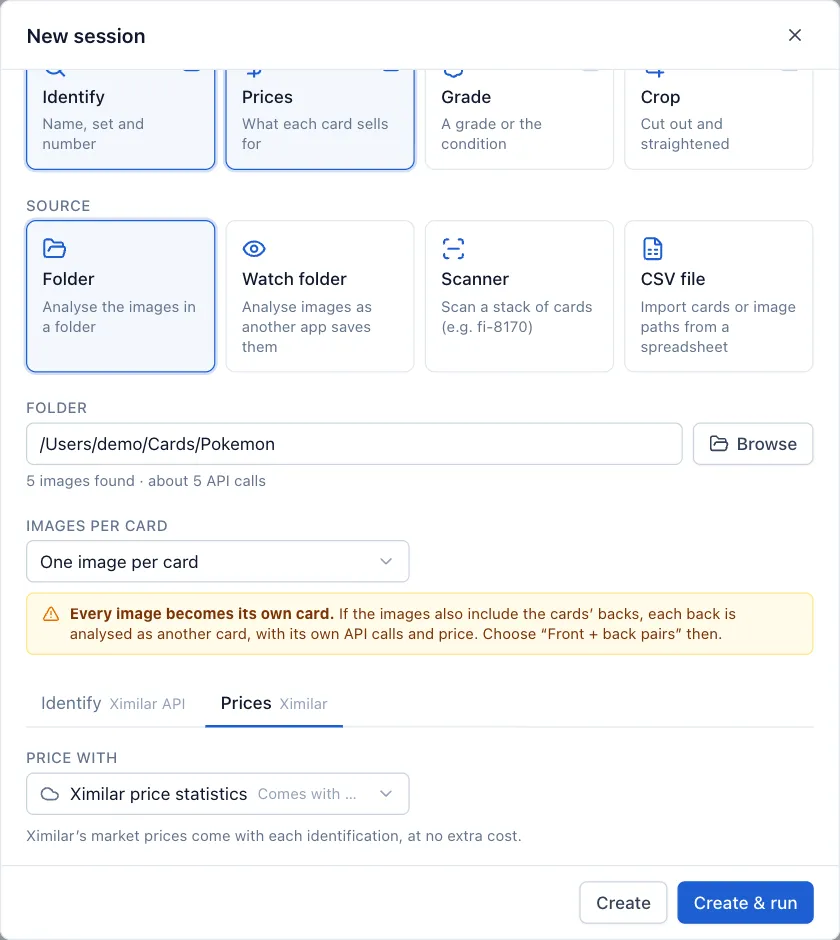
See the prices and the total
Each card gets a Price in the table, and the session header adds them up as Total value.
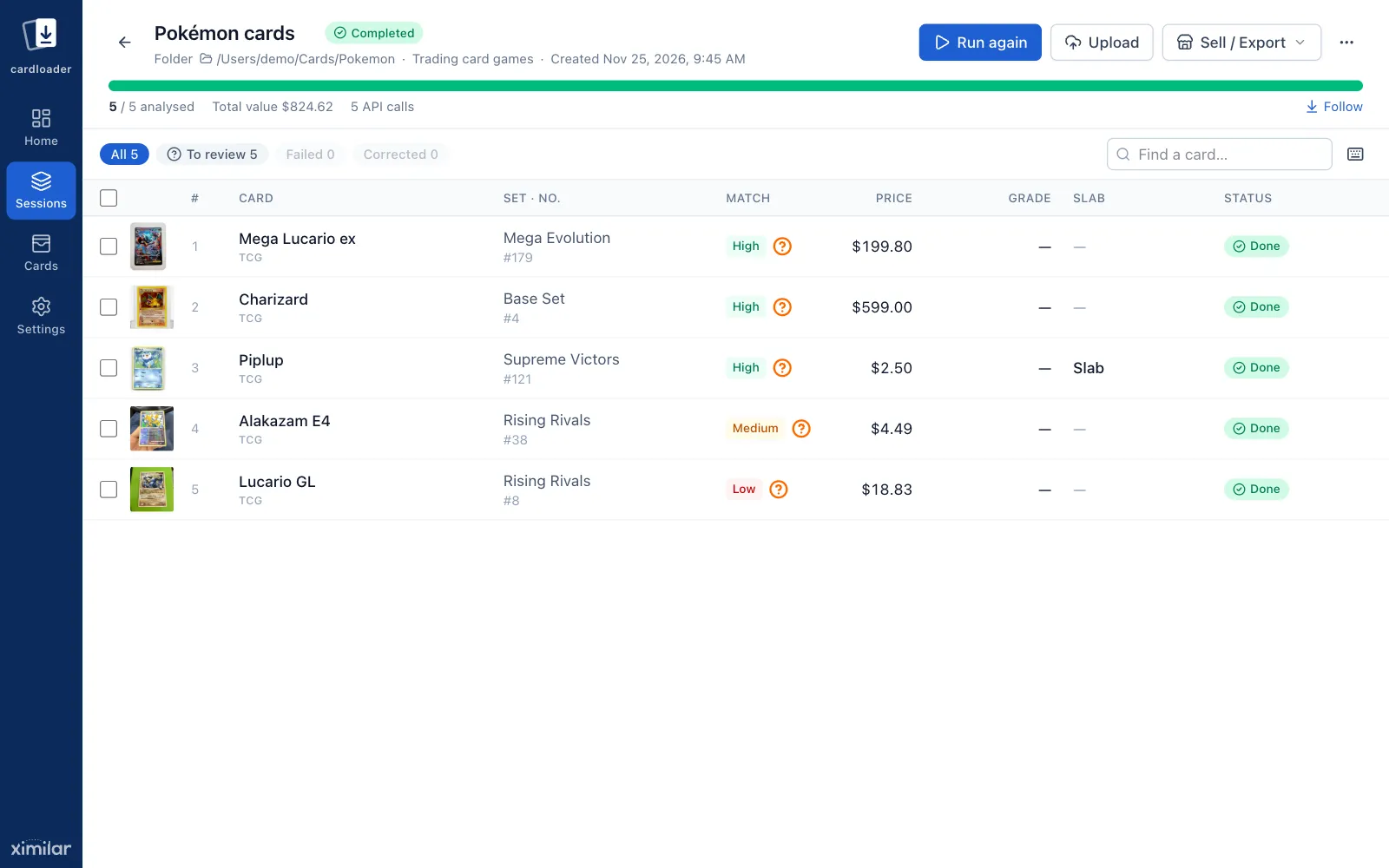
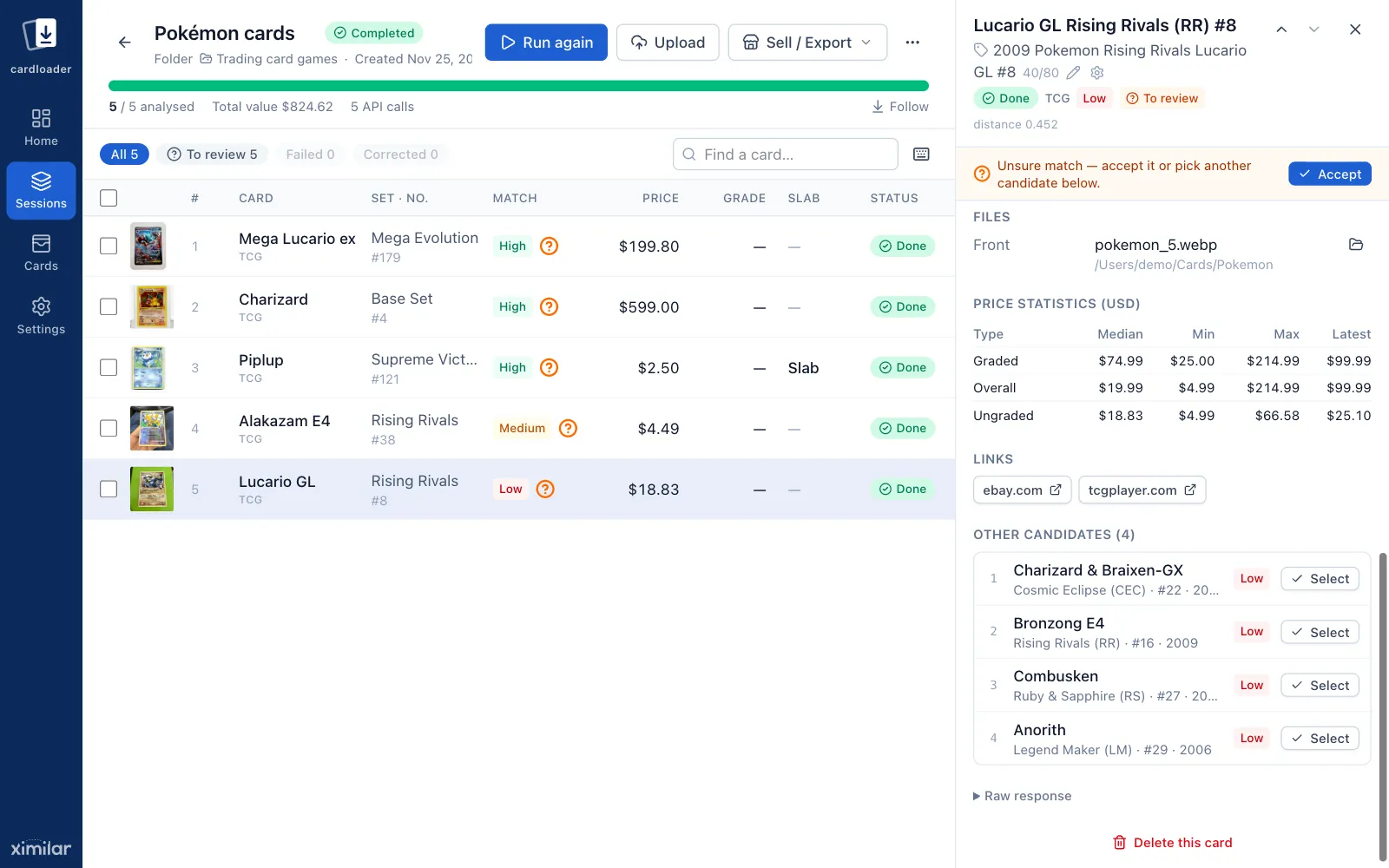
Open a card’s price statistics
Open a card: Price statistics (USD) shows the median, minimum, maximum and latest price, for graded and ungraded copies and overall. Links opens the card on eBay or TCGplayer.
You can change a card’s price with Edit; the CSV and marketplace exports take the price the card has.
Related tutorials
How to price cards from their active eBay listings
Use your eBay developer keys to search each identified card’s active eBay listings: Cardloader keeps them on the card and prices it at their median.
How to scan cards with the Ximilar API
Identify a folder of trading card pictures with the Ximilar API in Cardloader: name, set, number, a confidence for each match and market prices.
How to export a custom CSV of your scanned cards
Export the cards of a Cardloader session to a CSV file: pick the columns, put them in your order and rename the headers your spreadsheet or shop expects.
Start scanning your cards for free
Download Cardloader for Windows, macOS or Linux, point it at a folder or your scanner, and identify your first batch in minutes. No subscription and no account needed.