
 日本語
 Español
 한국어
 简体中文
 Português
 Français
 Deutsch
 Italiano
 ไทย
 العربية
 Polski
 Bahasa Indonesia
 Türkçe
 हिन्दी
 বাংলা
 Русский
 Tiếng Việt
 Nederlands
 Svenska
 Dansk
 Norsk
 Čeština
 עברית
 Filipino
 Bahasa Melayu
How to price cards with an AI agent
An AI agent can price your cards once they are identified, by any engine. It answers each card with a price in dollars and a short note on how it got there, and says so when it can’t price one.
What you need
- Cardloader connected to your AI app, with Run and review allowed (connecting an AI agent).
- With your eBay keys in Settings › Selling, the agent can also search the card’s active eBay listings (eBay listings).
Choose the AI agent for prices
In New session, tick Prices and set Price with to AI agent (MCP). To have the agent pick the card’s own listings out of an eBay search instead, choose eBay listings + AI agent (MCP): the price is then those listings’ median.
For cards already identified, add prices to the finished session instead (adding to a session).
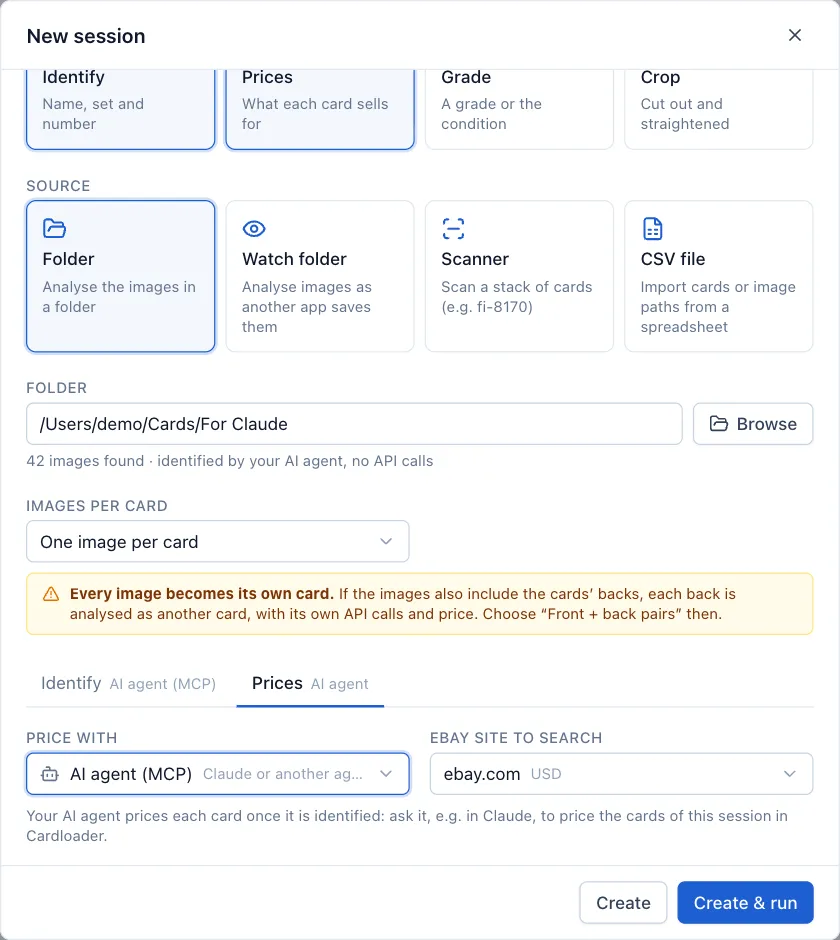
Give the agent the prompt
Run the session. Each identified card waits for the agent’s price, and a banner gives the prompt: click Copy the prompt and paste it into your AI app. When the agent also identifies the cards, one prompt covers both.
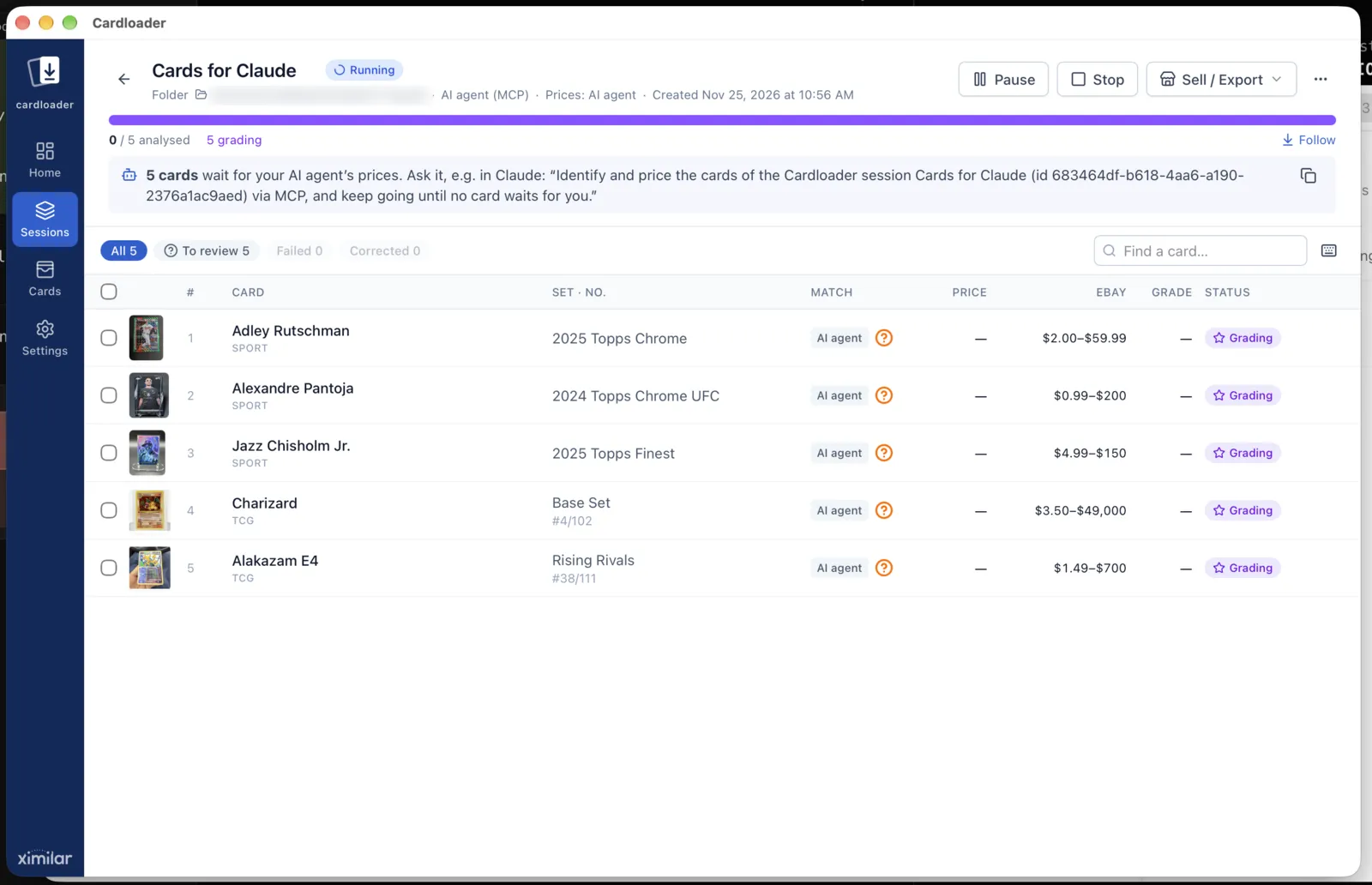
Let it price the cards
The agent works through the cards and tells you what it did. In this session Claude searched each card’s active eBay listings and gave their median, noting that asking prices are usually above what cards actually sell for.
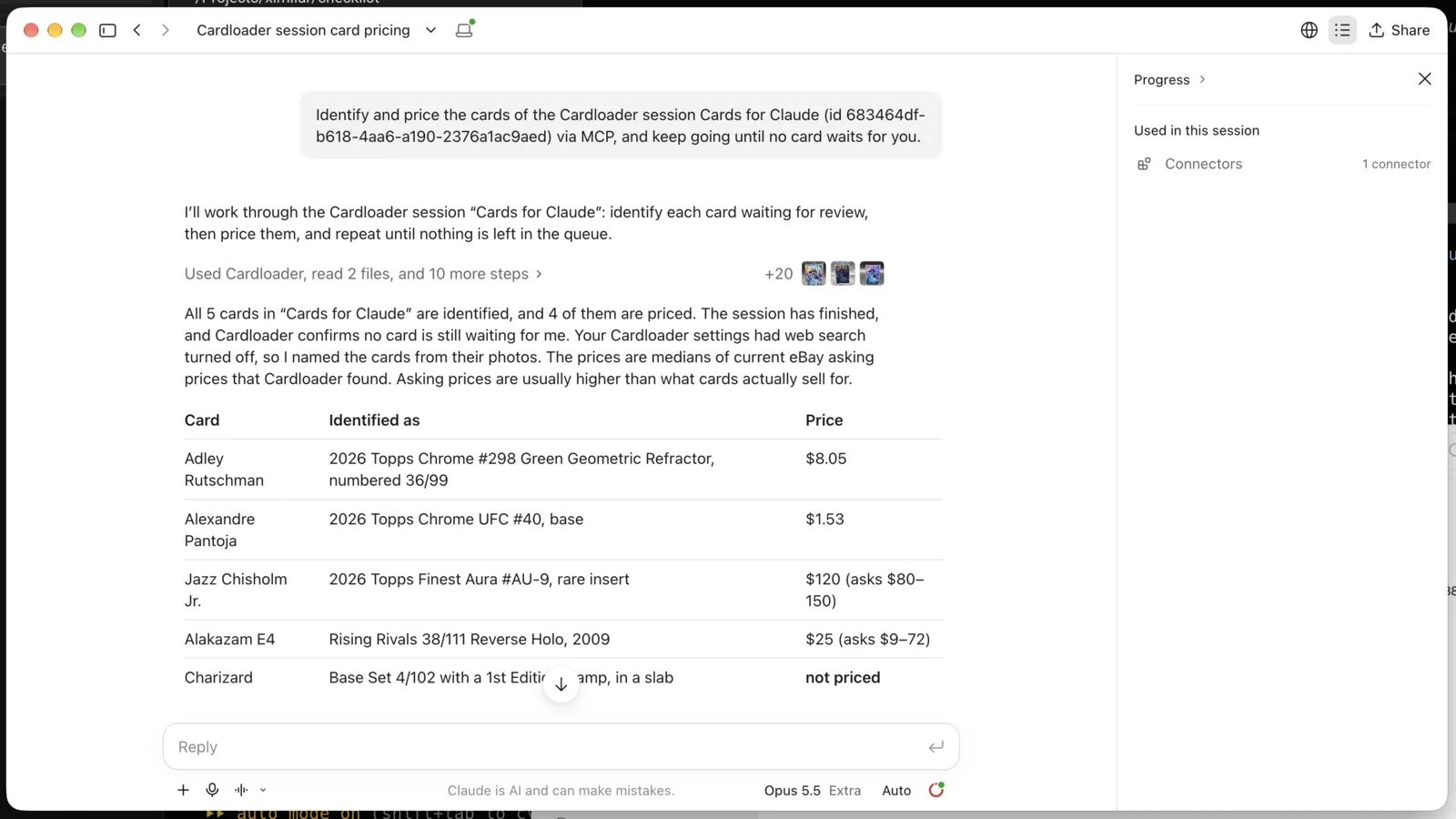
Check the prices
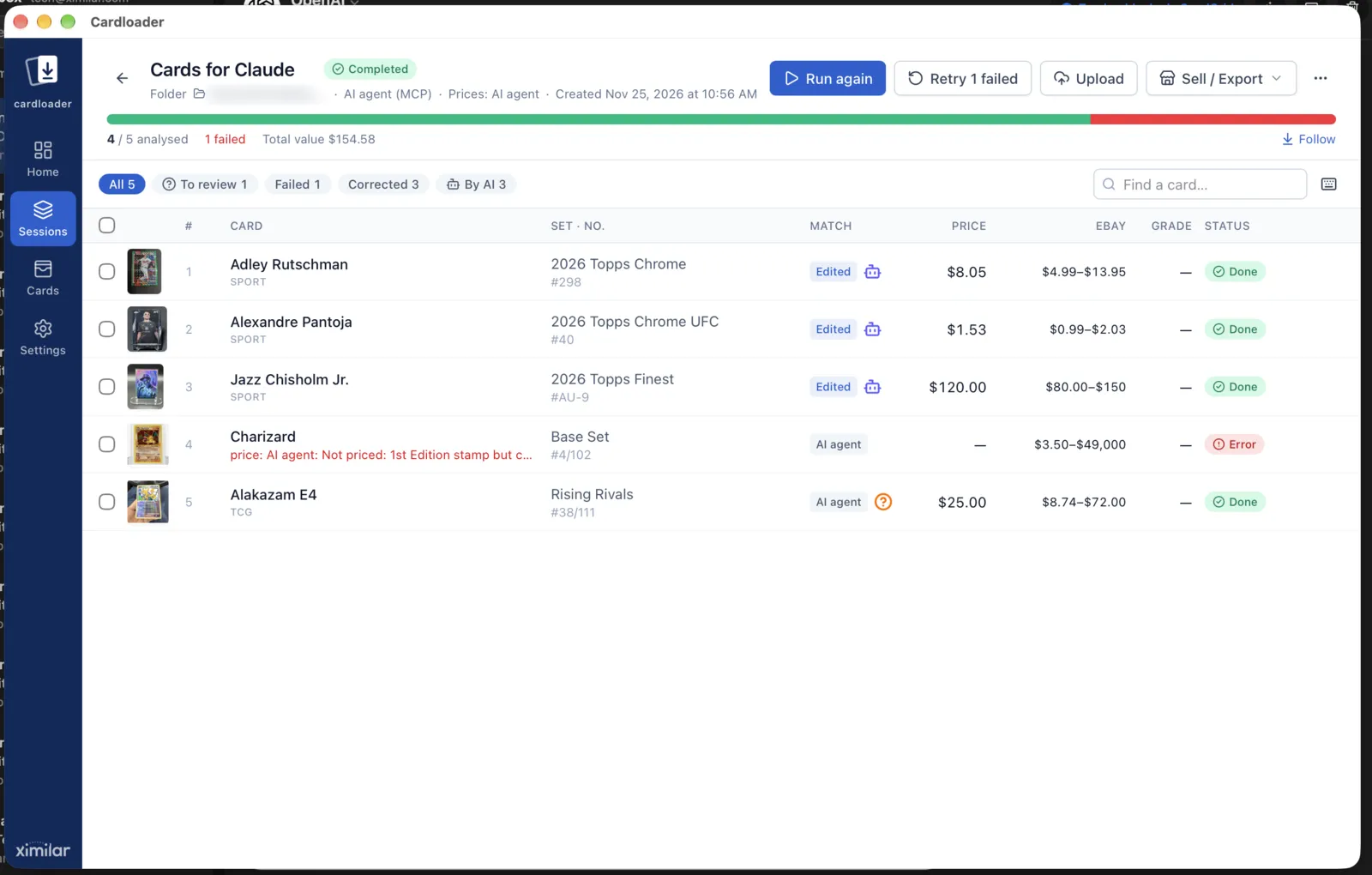
The prices fill the Price column, each with the agent’s note on the card. A card the agent couldn’t price keeps its identification and shows why, like the Charizard here: a graded 1st Edition card in a slab, which the agent wouldn’t put a price on by guessing.
An agent’s price is its own estimate from what it found, not a sale price. Change any price with Edit.
Related tutorials
How to identify cards with an AI agent such as Claude
Let Claude or another AI agent identify your cards: Cardloader hands it each card’s pictures over MCP, and the agent answers with the name, set and number.
How to price cards from their active eBay listings
Use your eBay developer keys to search each identified card’s active eBay listings: Cardloader keeps them on the card and prices it at their median.
Card prices from Ximilar’s price statistics
Get a market price for every card Cardloader identifies with the Ximilar API: median, minimum, maximum and latest prices, graded and ungraded, at no extra cost.
Start scanning your cards for free
Download Cardloader for Windows, macOS or Linux, point it at a folder or your scanner, and identify your first batch in minutes. No subscription and no account needed.