
 日本語
 Español
 한국어
 简体中文
 Português
 Français
 Deutsch
 Italiano
 ไทย
 العربية
 Polski
 Bahasa Indonesia
 Türkçe
 हिन्दी
 বাংলা
 Русский
 Tiếng Việt
 Nederlands
 Svenska
 Dansk
 Norsk
 Čeština
 עברית
 Filipino
 Bahasa Melayu
Using a local model for grading sports cards
A local model can give each sports card a rough grade (corners, edges, surface and centering) from its front and back. It is free and offline: good for sorting a box before you send the best cards off.
What you need
- A downloaded local model (How to download a local AI model).
- Pictures of the front and back of each card, paired by name (
1_F/1_B) or in order.
Grade with the local model
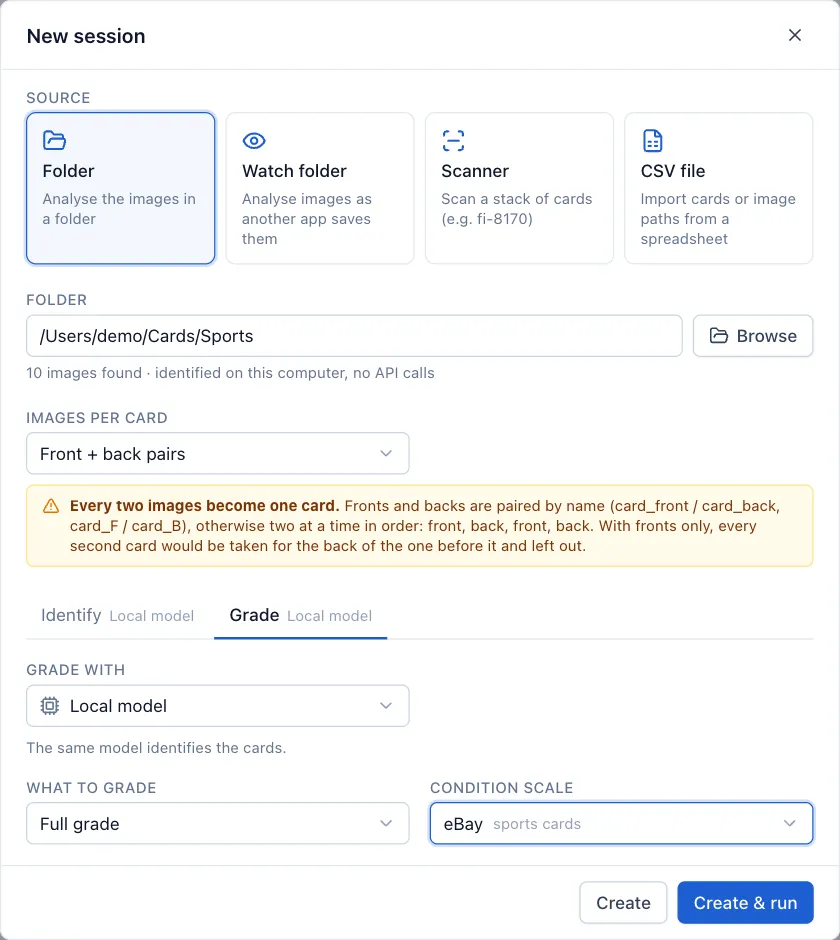
In New session, tick Identify and Grade, set Identify with to Local model and Identify as to Sports cards: Images per card turns to Front + back pairs.
In the Grade tab, set Grade with to Local model, What to grade to Full grade, and the Condition scale to eBay (sports cards): eBay rates sports singles on a scale of their own.
Run it
Click Create & run. Each card is identified from both sides, then each side is graded; the card takes the worse side’s grade.
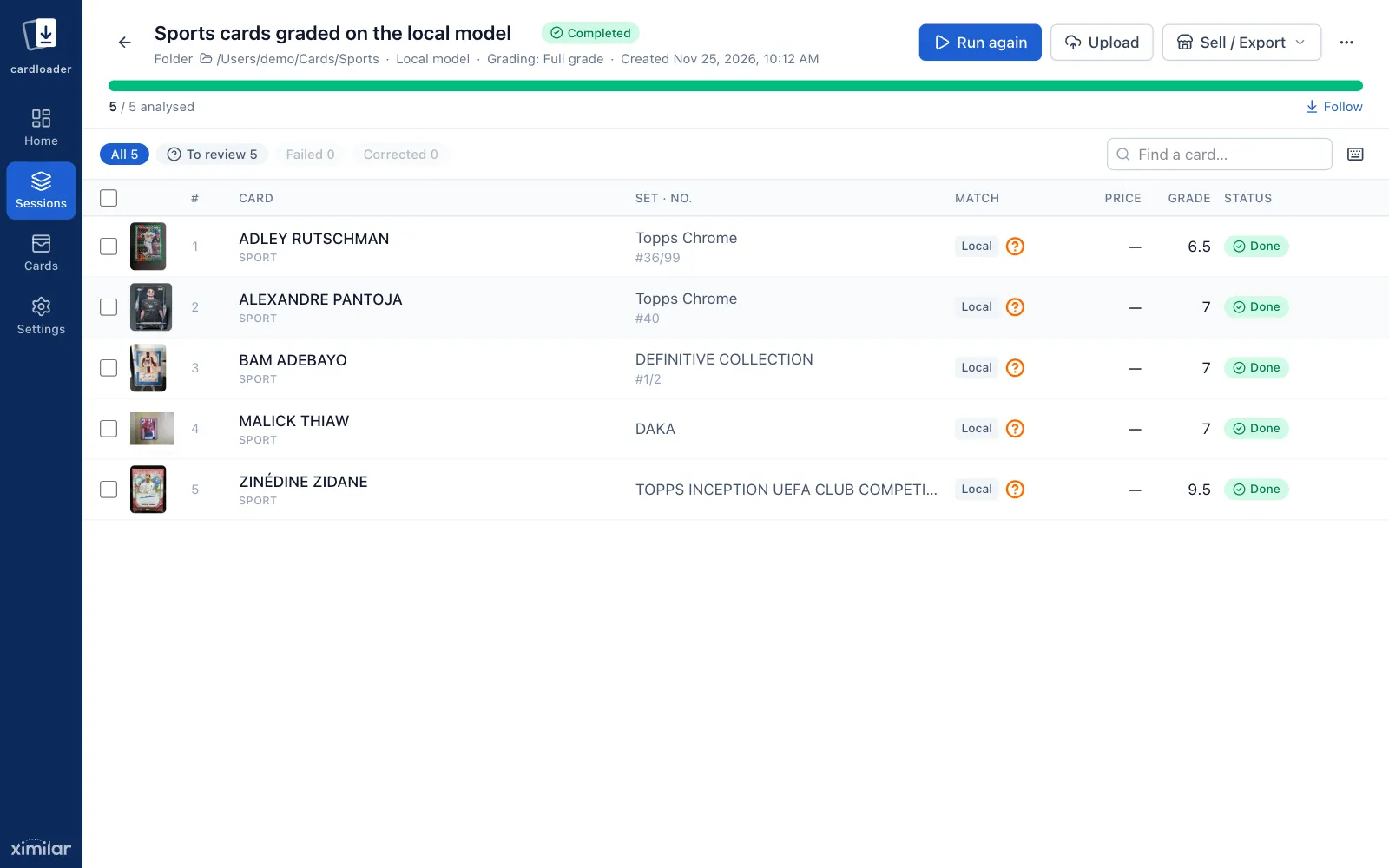
Read the grades
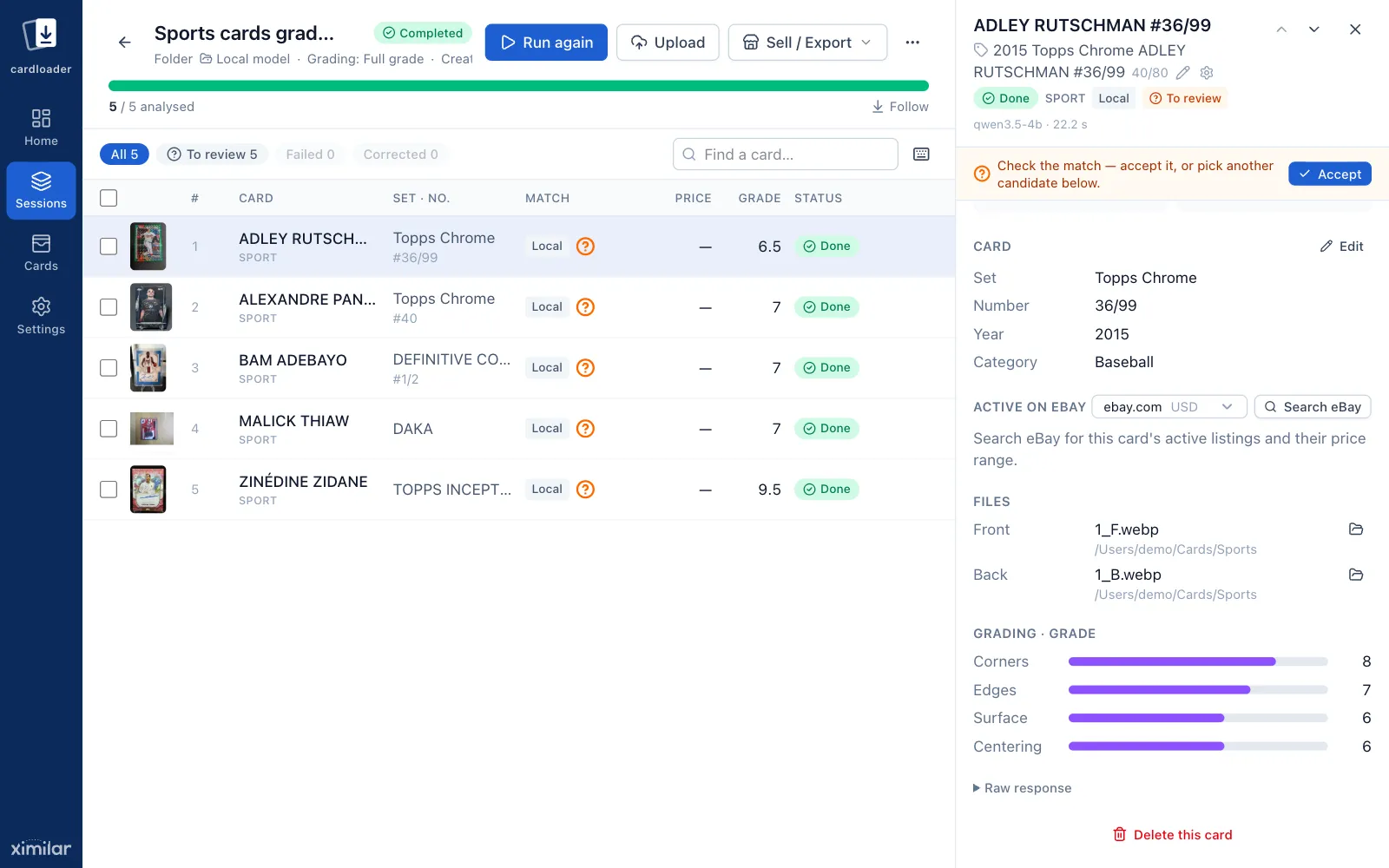
Open a card: Grading shows its Corners, Edges, Surface and Centering. Use them to sort, not as a final grade: a small model is generous with some cards and strict with others.
For a closer estimate with the overlays that show what was measured, grade the cards with the Ximilar API, even later on the same session (Add prices, grading or crops).
Related tutorials
How to grade cards with the Ximilar API
Grade trading and sports cards in Cardloader with Ximilar’s card grader: corners, edges, surface and centering for each side, with the overlays it drew.
Using a local model to estimate the condition of trading cards
Let a local AI model tell each trading card’s condition, such as Near Mint or Lightly Played, on TCGplayer’s, Cardmarket’s or eBay’s scale, offline and free.
Using both sides of the card for sports card scanning
Pair each sports card’s front and back pictures and send both to identification, with Magic AI for cards that aren’t in the database. Step by step.
Start scanning your cards for free
Download Cardloader for Windows, macOS or Linux, point it at a folder or your scanner, and identify your first batch in minutes. No subscription and no account needed.