
 日本語
 Español
 한국어
 简体中文
 Português
 Français
 Deutsch
 Italiano
 ไทย
 العربية
 Polski
 Bahasa Indonesia
 Türkçe
 हिन्दी
 বাংলা
 Русский
 Tiếng Việt
 Nederlands
 Svenska
 Dansk
 Norsk
 Čeština
 עברית
 Filipino
 Bahasa Melayu
How to price cards with eBay listings and a local model
An eBay search for a card also finds lots, other printings, foreign cards and slabs. A local model on your computer reads the titles of the listings found and keeps the ones that are this card; their median becomes the price.
What you need
- Your eBay keys in Settings › Selling (eBay listings).
- A downloaded local model (downloading a model). Qwen3.5 4B or 9B tell listings apart much better than the small LFM models.
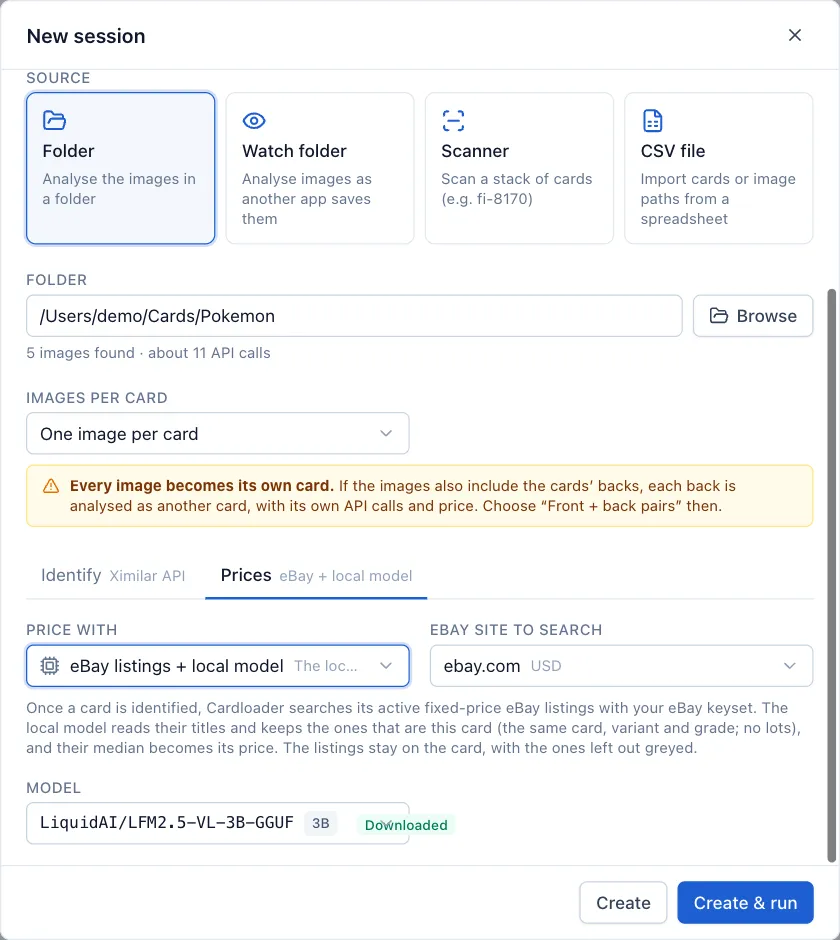
Choose eBay listings + local model
In New session, tick Prices and set Price with to eBay listings + local model. Choose the eBay site to search and the Model, then Create & run.
The cards can be identified by any engine. For cards already identified, add the prices to the finished session (adding to a session).
Let the model sort the listings
For each card, Cardloader searches up to 30 listings and asks the model about their titles, ten at a time. The model sees no prices, so it can’t lean towards a value.
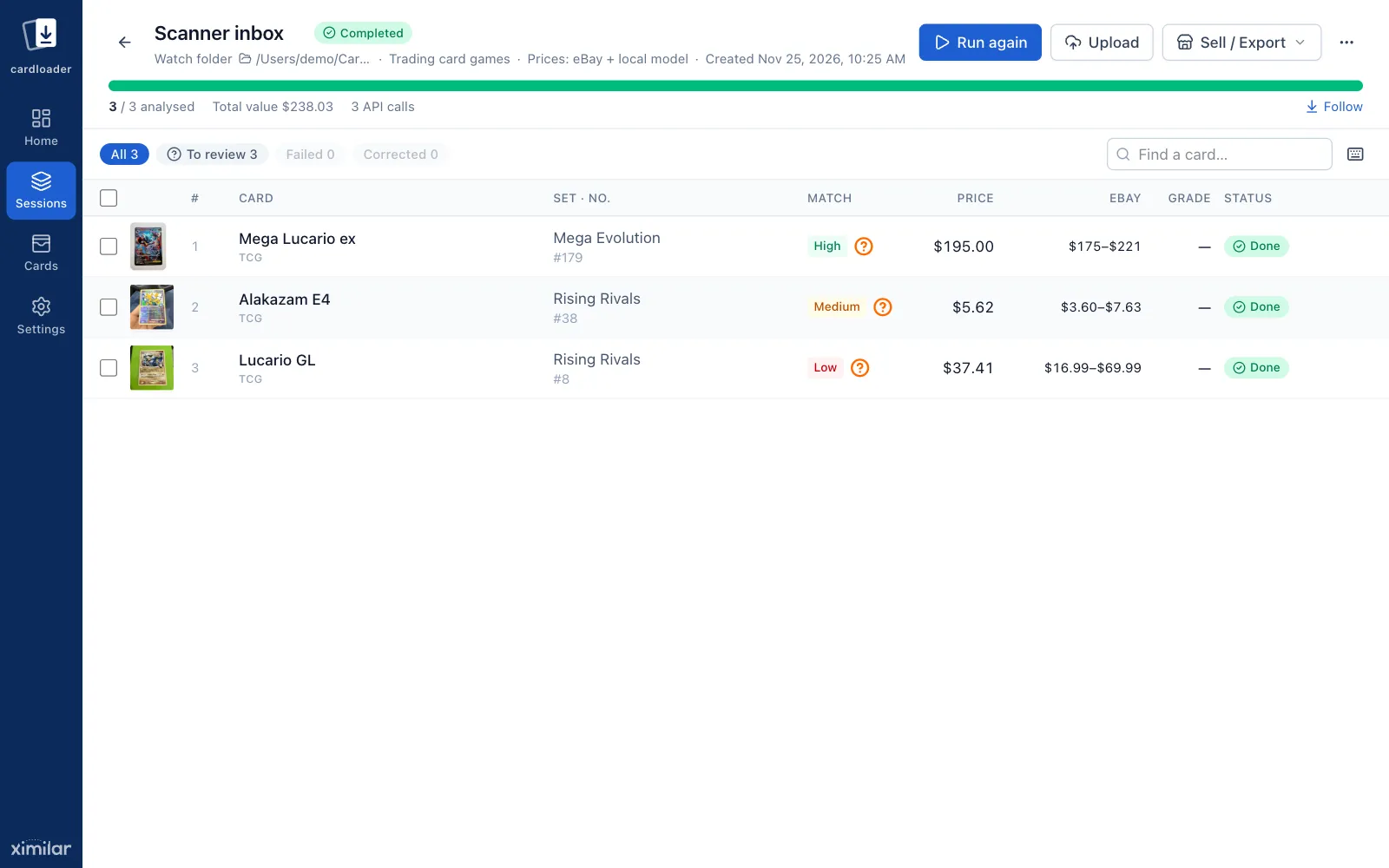
See what it kept
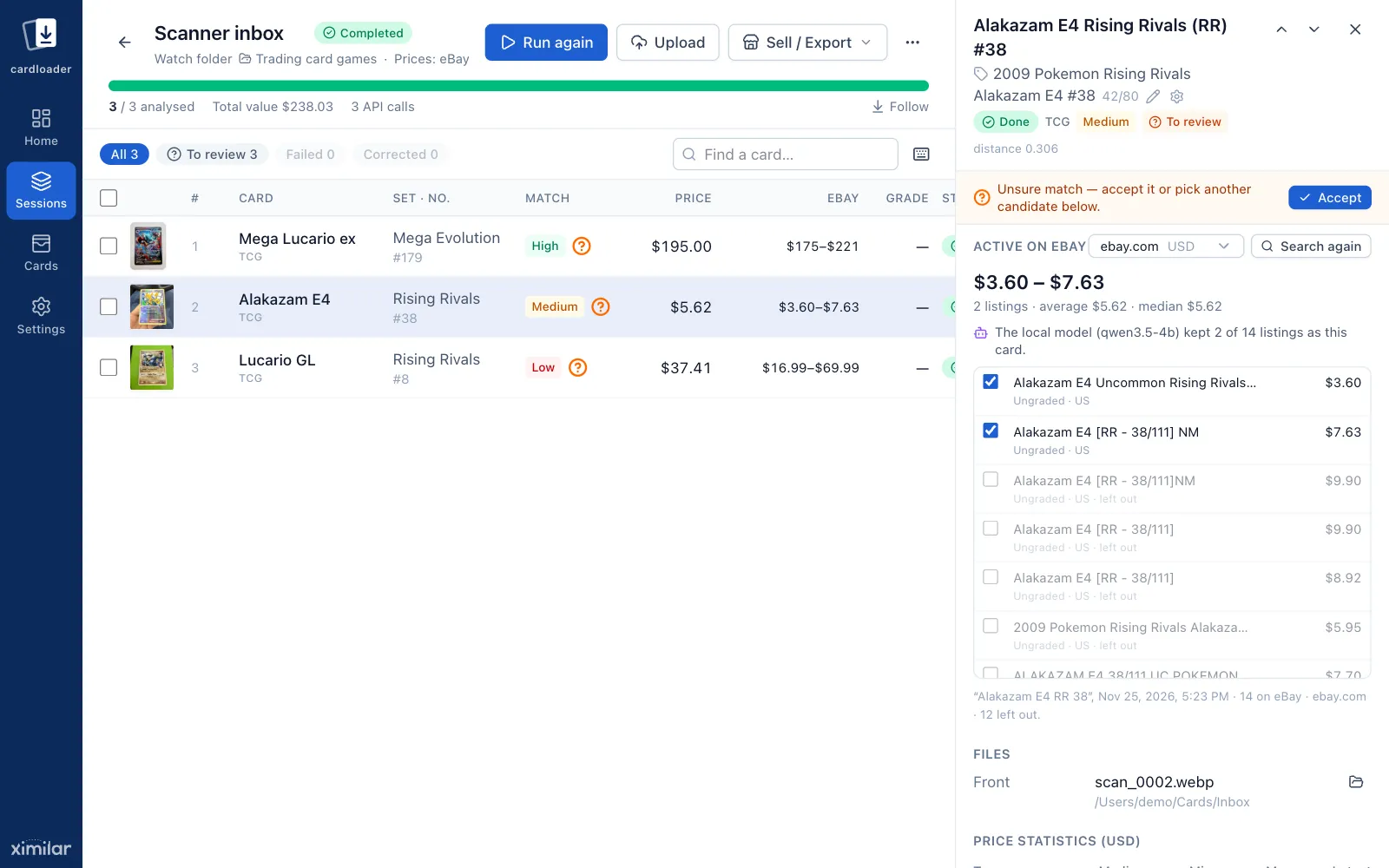
Click a card. Active on eBay says how many listings the model kept, and the range and median count only those. Here Qwen3.5 4B kept 6 of 23 listings for Mega Lucario ex 179/132, leaving out a credit-card skin, German copies and other prints.
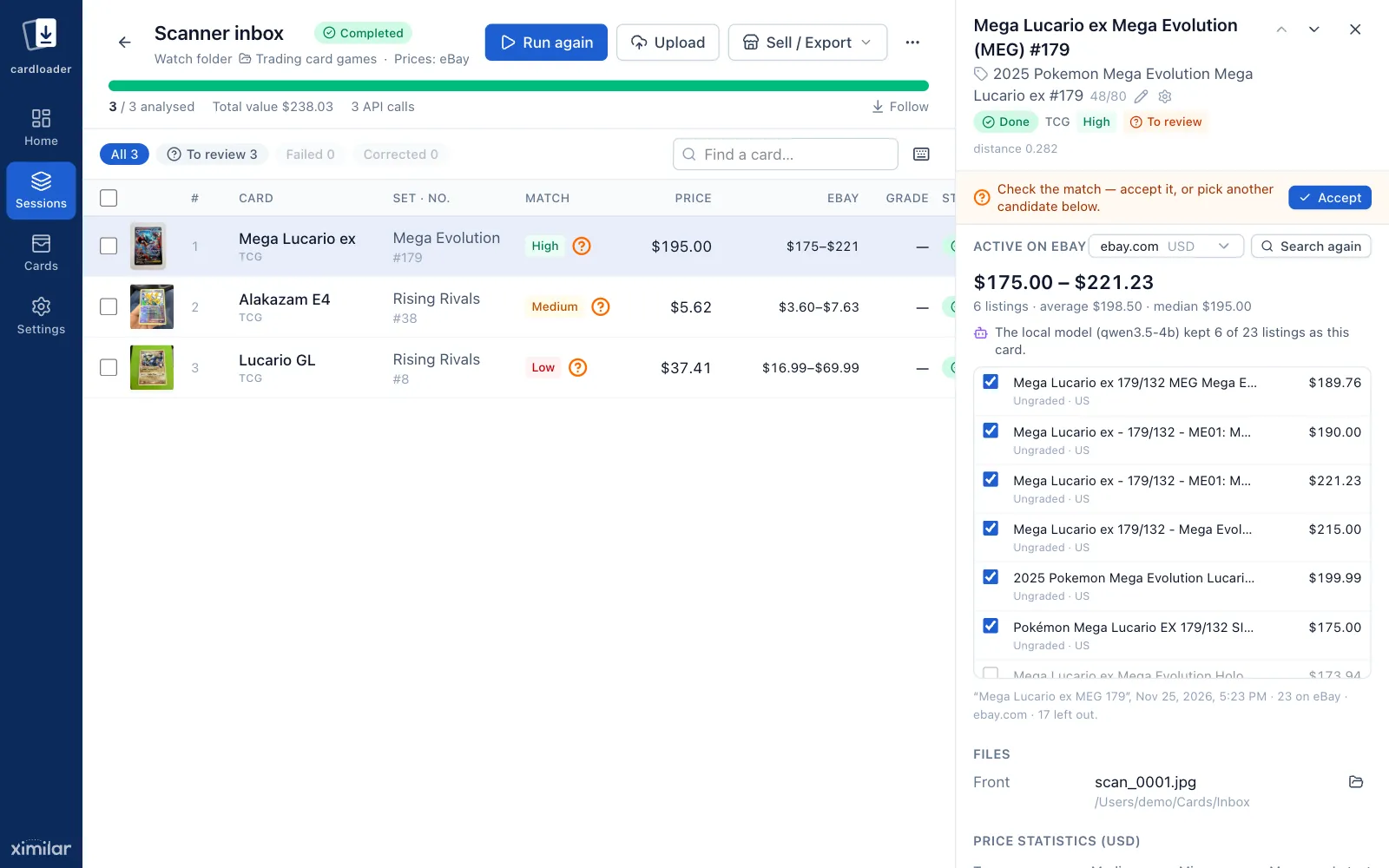
Check the listings left out
Listings left out stay on the card, greyed. A model can be too strict: for Alakazam E4 it kept 2 of 14 and also left out copies that are the card. Tick the ones it missed, and the range counts them.
A card where the model keeps no listing keeps the price it had. Change any price with Edit.
Related tutorials
How to price cards from their active eBay listings
Use your eBay developer keys to search each identified card’s active eBay listings: Cardloader keeps them on the card and prices it at their median.
How to price cards with an AI agent
Let Claude or another AI agent price your cards in Cardloader: it looks at each identified card, checks what it sells for and answers with a price and a note.
How to download a local AI model
Download a vision model that identifies cards on your computer, free and offline: choosing a model, accepting its license and running it on your GPU.
Start scanning your cards for free
Download Cardloader for Windows, macOS or Linux, point it at a folder or your scanner, and identify your first batch in minutes. No subscription and no account needed.