
 日本語
 Español
 한국어
 简体中文
 Português
 Français
 Deutsch
 Italiano
 ไทย
 العربية
 Polski
 Bahasa Indonesia
 Türkçe
 हिन्दी
 বাংলা
 Русский
 Tiếng Việt
 Nederlands
 Svenska
 Dansk
 Norsk
 Čeština
 עברית
 Filipino
 Bahasa Melayu
How to list your cards on eBay
Cardloader lists cards on eBay through eBay’s own selling API, with your developer keys and your seller account. Each card becomes a draft with its title, category, condition, pictures and price; you publish when the drafts look right.
What you need
- An eBay developer account (developer.ebay.com) with a keyset: Sandbox to try it out, Production for real listings. eBay activates a Production keyset once you subscribe to Marketplace Account Deletion notifications or apply for the exemption.
- An eBay seller account with business policies for shipping, payment and returns.
Enter your eBay keys
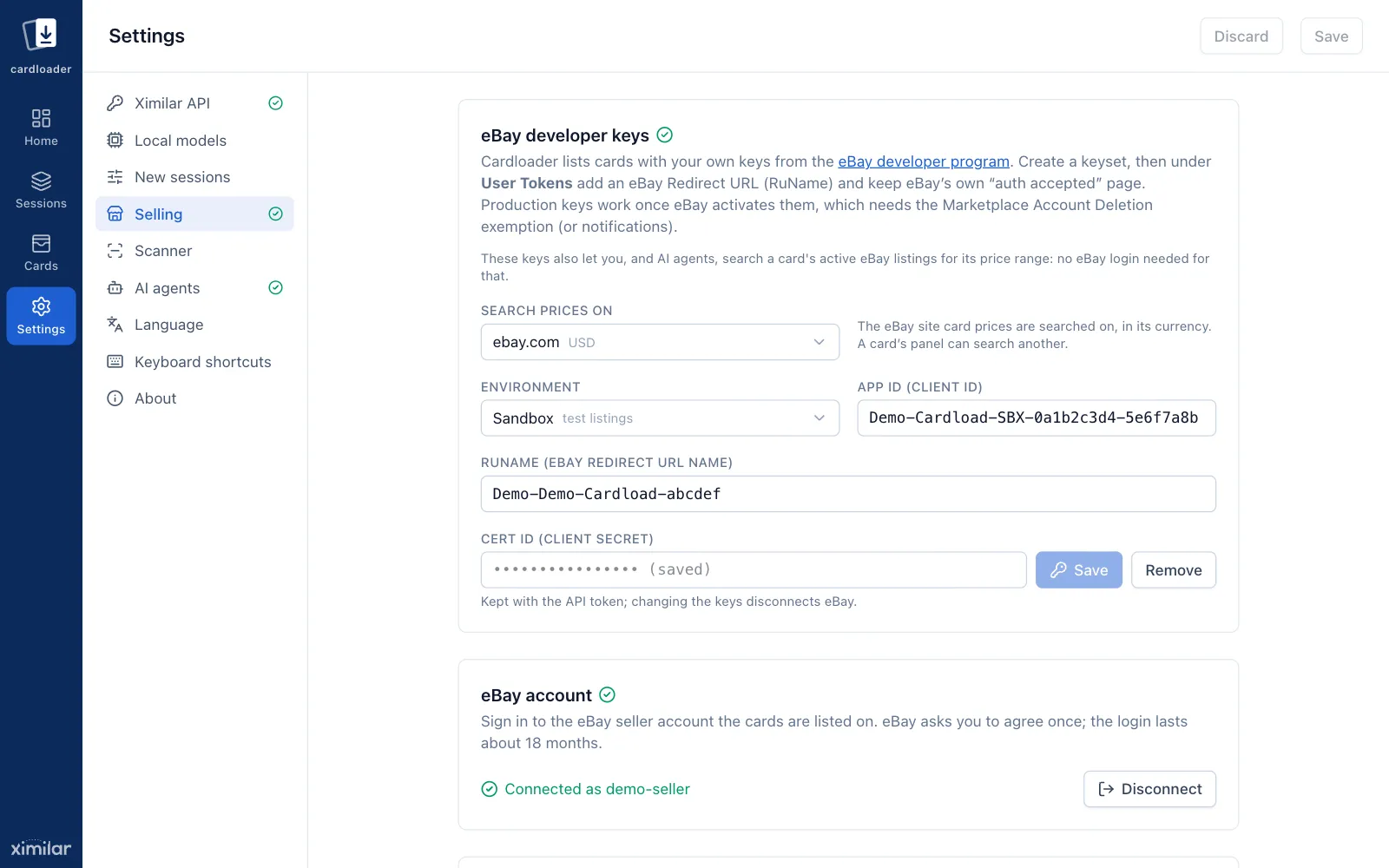
In your keyset on developer.ebay.com, under User Tokens, add an eBay Redirect URL (RuName) and keep eBay’s own “auth accepted” page.
In Cardloader, open Settings › Selling, choose the Environment (Sandbox or Production) and enter the App ID, RuName and Cert ID. The Cert ID is kept in the system keychain with your API token.
Connect your seller account and choose policies
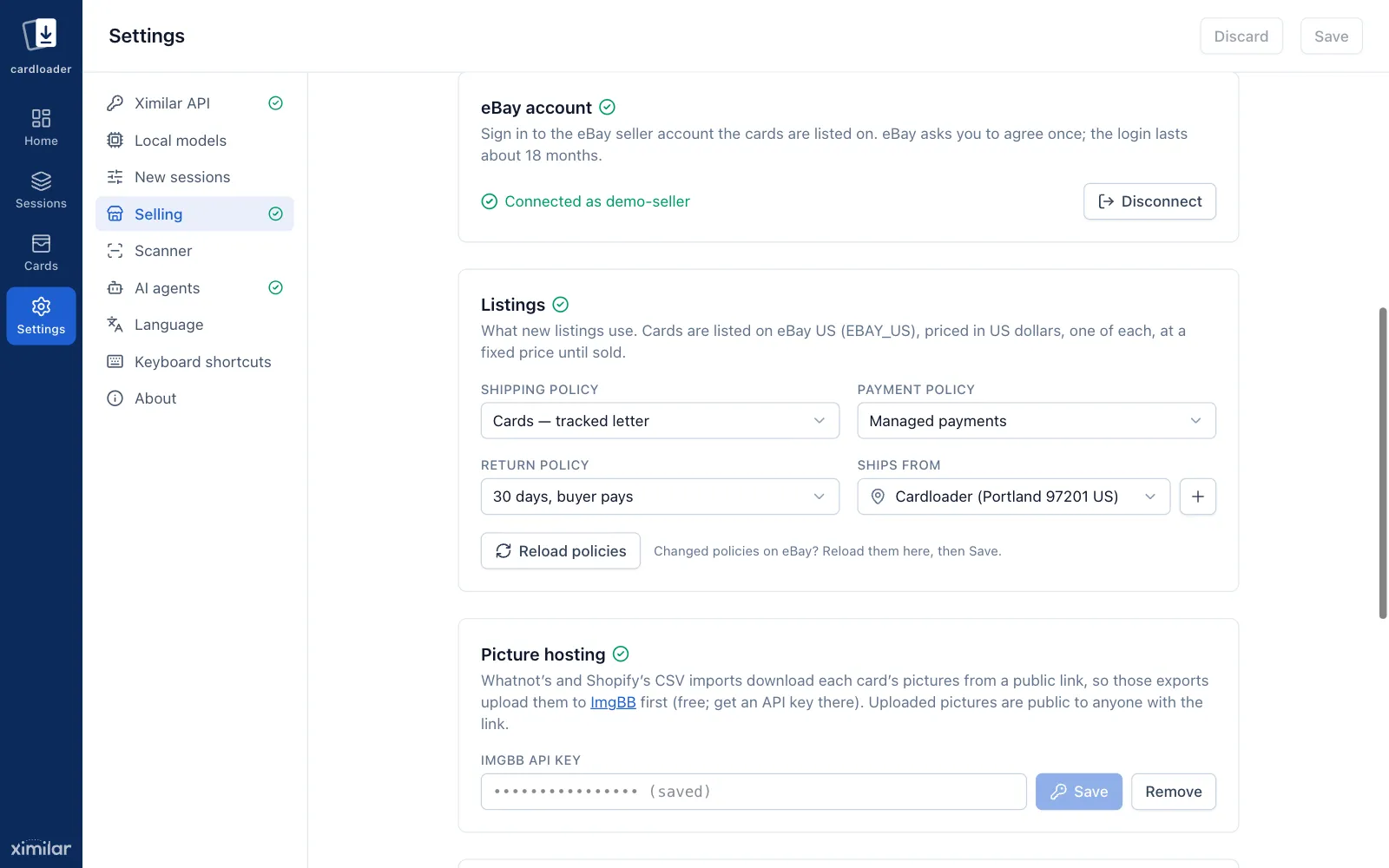
Click Connect eBay account and agree on eBay’s page; if the window can’t finish, use Paste the address instead. The login lasts about 18 months.
Under Listings, choose the Shipping policy, Payment policy, Return policy and where cards Ships from. Accounts without business policies can turn them on here; the policies themselves are made in eBay’s Seller Hub.
Create drafts
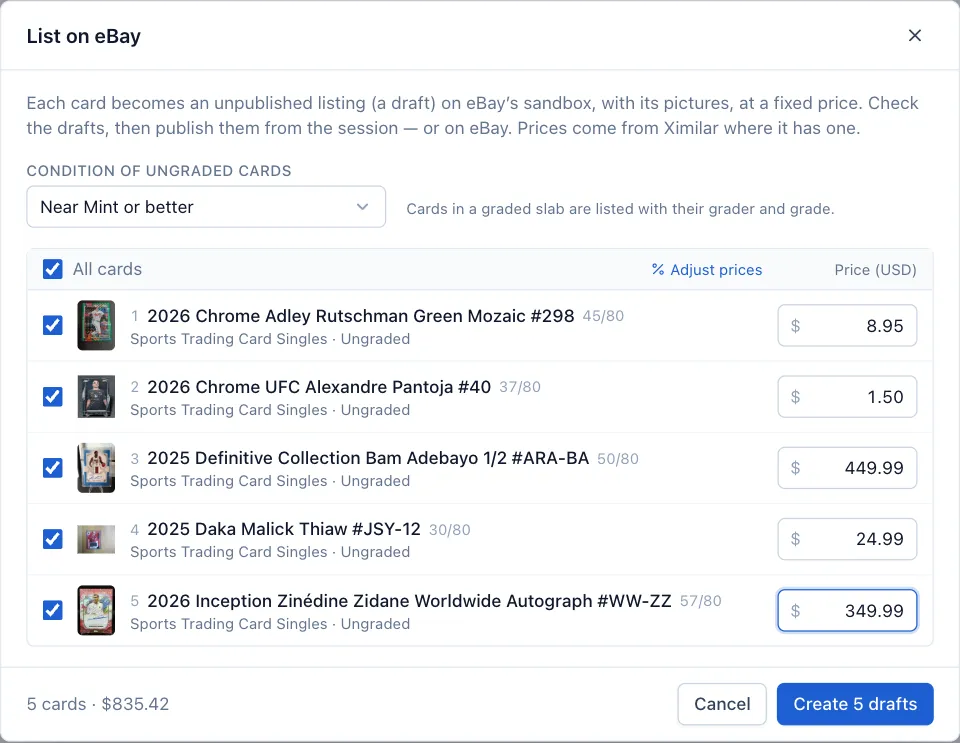
Open a finished session and choose Sell / Export › List on eBay…. Each card shows its listing title, category and condition. Set Condition of ungraded cards; cards in a graded slab are listed with their grader and grade.
Cards without a price need one: type it, or use Adjust prices. Click Create N drafts: the pictures are uploaded and each card becomes an unpublished listing you can check on eBay.
Publish
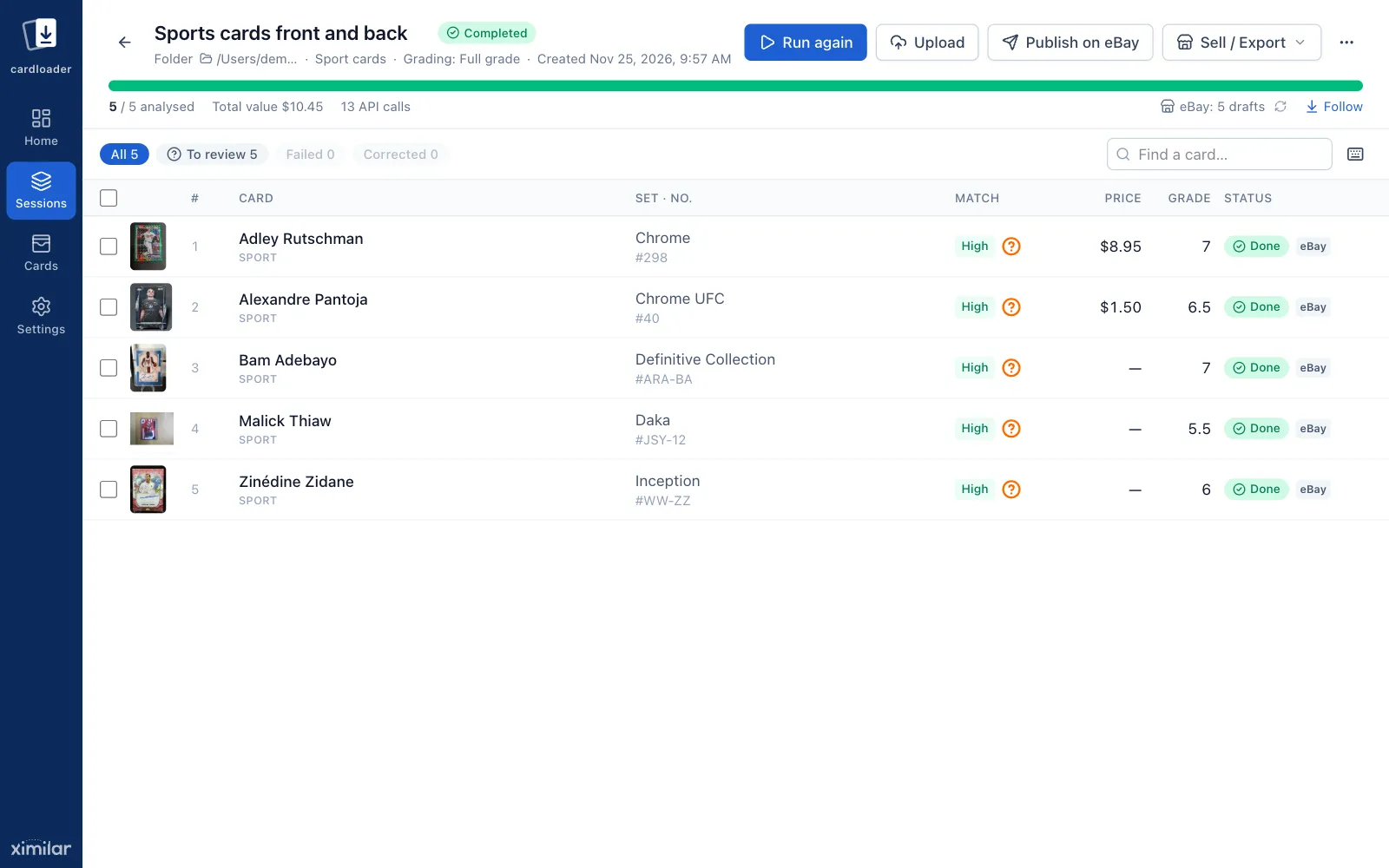
The session header counts the drafts (eBay: 5 drafts). When they look right, click Publish on eBay, or publish single cards from their panel. The header then counts listed and sold cards, checked again whenever you open the session.
Listings go to eBay US in US dollars; fees and selling limits are eBay’s. The pictures here show the eBay Sandbox with a demo account.
Related tutorials
Configuring your own listing title templates
Decide how your cards’ listing titles read on eBay, Whatnot and Shopify: which parts, in what order, your own words, and for which cards, within 80 characters.
How to price cards from their active eBay listings
Use your eBay developer keys to search each identified card’s active eBay listings: Cardloader keeps them on the card and prices it at their median.
How to crop card pictures with the Ximilar API
Cut each card out of its scan or photo, straightened, and save the crops as JPEG, PNG or WebP to a folder of your choice, with or without identifying.
Start scanning your cards for free
Download Cardloader for Windows, macOS or Linux, point it at a folder or your scanner, and identify your first batch in minutes. No subscription and no account needed.